
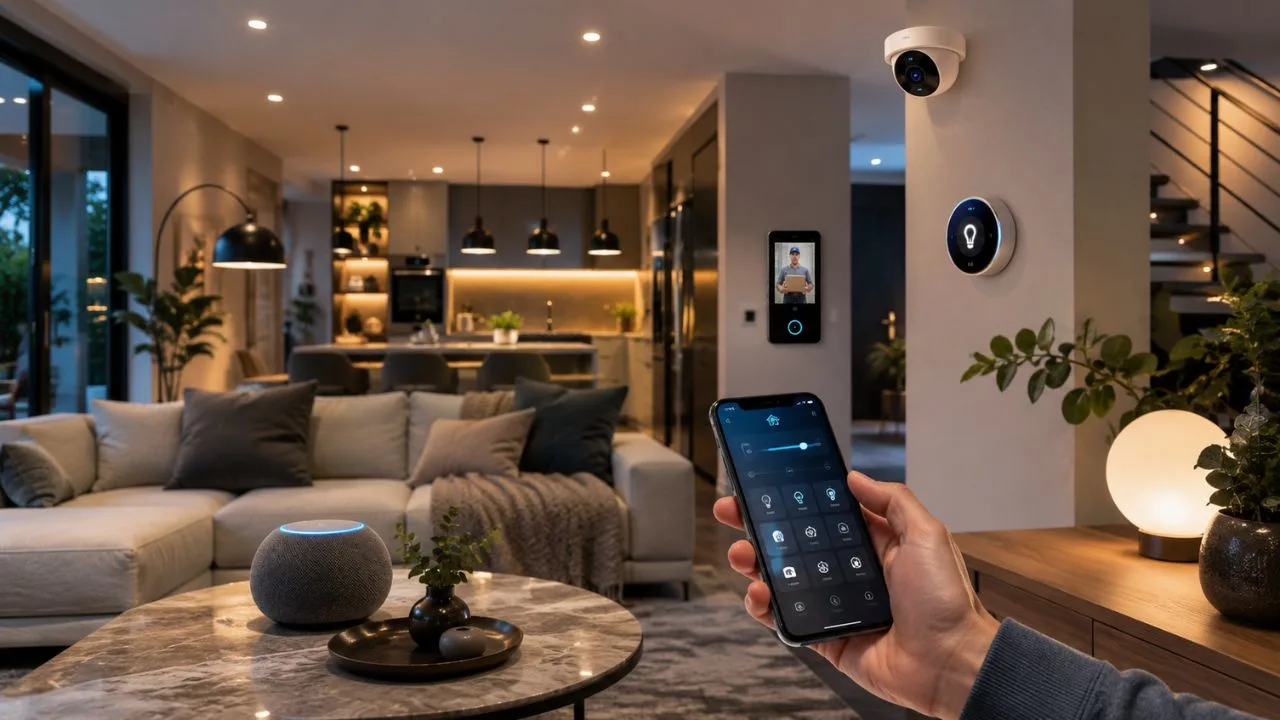

A smart home is a house equipped with connected devices that can be monitored, controlled, and automated through a phone, tablet, voice assistant, or central control panel. These devices may include lights, thermostats, locks, cameras, doorbells, plugs, speakers, blinds, and household appliances. Together, they create a connected home that can respond to your commands and everyday routines.
Unlike traditional household devices, smart devices can communicate with other products and digital services. A smart light can turn on when a motion sensor detects movement, while a thermostat can lower the temperature when everyone leaves home. This communication makes home automation possible and reduces the number of tasks you need to perform manually.
A smart home does not have to be filled with expensive technology. It can begin with one smart plug, bulb, or speaker and gradually expand as your needs become clearer. The best smart home system is not necessarily the largest one; it is the system that solves practical problems and remains easy for everyone in the household to use.
Modern smart home technology has also become more flexible because products increasingly support shared standards such as Matter and Thread. These technologies aim to make devices from different manufacturers work together more reliably. However, compatibility, privacy, internet reliability, and long-term software support still need careful consideration before buying smart home products.
What Is a Smart Home in Simple Terms?
In simple terms, a smart home is a property where everyday devices can connect to a network and be controlled digitally. Instead of walking across a room to switch off a lamp, you can use an app or voice command. You may also schedule the light to turn off automatically at bedtime without taking any action.
The word “smart” usually means the device can receive commands, send information, or respond to conditions. A smart thermostat may report the room temperature and adjust heating according to a schedule. A smart doorbell may detect movement, send a phone notification, and allow you to speak to a visitor while you are away.
Smart home devices often become more useful when they work together. A door sensor can tell the heating system that a window is open, while a smart lock can trigger the entrance lights after someone unlocks the door. These connected actions are usually managed through routines, scenes, automations, or rules inside a smart home application.
A connected device is not automatically useful simply because it has an app. Good smart home technology should make a task easier, safer, faster, or more efficient. Before buying anything, consider what problem you want to solve, how often you will use the feature, and whether a traditional device could perform the same job more simply.
How Does a Smart Home Work?
A smart home works by connecting compatible devices to a home network or dedicated wireless system. Each device contains technology that allows it to send, receive, or process information. Depending on the product, it may communicate through Wi-Fi, Thread, Zigbee, Z-Wave, Bluetooth, Ethernet, or a combination of these connection methods.
You usually control these products through a smart home platform such as Amazon Alexa, Apple Home, Google Home, or Samsung SmartThings. The platform acts as the main interface for organizing devices, assigning them to rooms, creating routines, and giving other household members access. Some manufacturer-specific apps may still be needed for advanced settings and software updates.
When you give a command, the smart home platform sends instructions to the appropriate device. For example, tapping a button in an app may tell a smart plug to stop supplying electricity. Some commands travel through cloud servers on the internet, while compatible systems can process certain actions locally within the home for faster and more reliable control.
Sensors allow the system to respond without waiting for a direct command. A motion sensor may activate a hallway light, while a temperature sensor may trigger a fan. The system follows rules you have created, using information such as movement, time, location, temperature, door position, or the status of another connected device.
What Are the Main Parts of a Smart Home System?
Smart devices are the most visible part of a home automation system. These products carry out actions or collect information, depending on their purpose. Examples include smart bulbs that adjust brightness, cameras that capture video, locks that control entry, thermostats that manage temperature, and sensors that detect movement, moisture, smoke, or open doors.
The control platform is another important part of the system. It may be an app on your phone, a smart display, a voice assistant, or a wall-mounted control panel. A good platform gives you one place to manage several products instead of requiring a different application for every bulb, plug, camera, and household appliance.
A smart home hub or controller may also be required. It connects devices using specific technologies and helps them communicate with the wider network. Some hubs are separate boxes, while others are built into smart speakers, displays, televisions, routers, or streaming devices. Whether you need one depends on the products and wireless protocols you choose.
Finally, a reliable network provides the foundation for the entire connected home. Wi-Fi coverage, router performance, internet access, and local wireless networks can all affect device responsiveness. Smart home users with large properties may need a mesh Wi-Fi system or additional Thread border routers to maintain dependable coverage across different rooms and floors.
What Is a Smart Home Hub?
A smart home hub is a device or software controller that connects and coordinates compatible smart products. It can act as the central point through which sensors, switches, locks, lights, and other devices communicate. A hub may also translate between different connection technologies, allowing products that use separate protocols to participate in the same system.
Not every smart home requires a separate hub. Many Wi-Fi devices connect directly to a router and communicate through their manufacturer’s cloud service. However, adding numerous Wi-Fi products can make device management complicated, and some battery-powered devices operate more efficiently through low-power systems such as Thread, Zigbee, or Z-Wave.
Several familiar products can perform hub-related functions without looking like traditional hubs. Certain smart speakers, displays, streaming boxes, televisions, and Wi-Fi routers contain Matter controllers, Thread border routers, Zigbee radios, or other smart home capabilities. This built-in functionality can reduce the number of additional boxes and cables required around the home.
Before purchasing a hub, check exactly which devices, protocols, and platforms it supports. A product described as a hub may support one wireless system but not another. Also confirm whether it enables local automation, remote access, guest permissions, backups, and continued control when the internet connection becomes unavailable.
How Do Smart Home Devices Connect?
Wi-Fi is one of the most familiar smart home connection methods because most homes already have a wireless router. It works well for devices that transfer larger amounts of data, such as cameras, video doorbells, speakers, and smart displays. However, weak coverage and overloaded networks can make Wi-Fi products slow, unreliable, or difficult to install.
Bluetooth is commonly used during the initial setup process because it allows a phone to discover a nearby product. Some simple devices can also be controlled directly through Bluetooth without a hub or internet connection. Its shorter range makes it less suitable as the only connection method for controlling products throughout a large home.
Zigbee and Z-Wave are low-power wireless technologies widely used by smart sensors, bulbs, switches, plugs, and locks. They generally require a compatible hub and can form mesh networks in which powered devices help pass messages across the home. Products must support the correct protocol and hub, so compatibility should be confirmed before purchase.
Thread is a newer IP-based mesh networking technology designed for connected home devices. It is especially suitable for lower-bandwidth products such as sensors, locks, plugs, and lights. Thread devices communicate across a local network and use a Thread border router to connect with other IP-based networks and compatible smart home platforms.
What Are Matter and Thread in a Smart Home?
Matter is a smart home compatibility standard created to help products work across different platforms and brands. A Matter logo indicates that a certified device follows shared communication requirements. Depending on the device and platform support, the same product may be controlled through Apple Home, Google Home, Amazon Alexa, Samsung SmartThings, or more than one ecosystem.
Matter is not a wireless signal like Wi-Fi or Thread. It is a common language that compatible smart home devices and platforms use to communicate. Matter products can connect through technologies such as Wi-Fi, Thread, or Ethernet, while Bluetooth Low Energy is commonly involved in the initial setup and network-commissioning process.
Thread provides the network connection for many low-power Matter devices. Its mesh design allows compatible products to communicate with one another, helping extend coverage and reduce dependence on a single connection path. A Thread border router connects this local mesh with the rest of the home network and may be built into a speaker, router, display, or hub.
Recent Matter updates have continued expanding the types of products and features covered by the standard, including more appliances, cameras, closures, energy-management capabilities, and environmental controls. However, the presence of Matter does not guarantee that every platform exposes every possible feature. Always check the device category and the specific functions supported by your chosen ecosystem.
What Smart Devices Can You Use at Home?
Smart lighting is often the easiest starting point for a connected home. Smart bulbs, switches, dimmers, and light strips can be controlled remotely, scheduled, grouped by room, or activated by motion sensors. They can also create different lighting scenes for reading, relaxing, entertaining, working, watching television, or moving safely through the house at night.
Smart thermostats and heating controls help manage indoor temperature through schedules, sensors, and remote access. Some systems can adjust heating when the property is empty or respond to different temperatures in separate rooms. Actual energy savings depend on the property, climate, equipment, settings, insulation, and the habits of household members.
Smart security products include video doorbells, cameras, alarms, locks, contact sensors, and motion detectors. These devices can provide alerts when someone approaches the property or when a door opens unexpectedly. Although they may improve awareness and convenience, they should support rather than replace strong doors, reliable locks, smoke alarms, and sensible security habits.
Other connected products include smart plugs, blinds, speakers, televisions, robot vacuum cleaners, irrigation controllers, air-quality monitors, leak sensors, appliances, and garage-door controllers. Some devices offer meaningful automation, while others add little beyond remote operation. Focus on products that perform a useful daily function instead of purchasing technology simply because it connects to an app.
How Are Smart Homes Controlled?
A smartphone app is the most common way to control a smart home. The app allows you to turn devices on and off, adjust settings, view sensor information, create schedules, and receive notifications. Remote access may also let you check the property from another location, provided the system and internet connection are working correctly.
Voice assistants provide hands-free control through spoken commands. You might ask a speaker to dim the lights, change the temperature, lock a door, or start a routine. Clear device names are important because voice control becomes frustrating when several products have similar, confusing, or difficult-to-pronounce names.
Physical controls remain valuable even in a highly automated home. Smart switches, wireless buttons, remote controls, keypads, and wall panels allow guests and family members to operate devices without finding a phone or remembering a voice command. A good smart home should remain understandable and usable when a visitor enters the room.
Schedules and automatic routines can control devices without any immediate input. Lights may switch on at sunset, blinds may close in the evening, and heating may reduce before bedtime. Automation is often the most useful form of control because it allows the home to respond consistently while reducing repeated manual actions.
What Are Smart Home Automations, Scenes, and Routines?
A smart home automation is a rule that causes an action when a specific condition is met. The condition is sometimes called a trigger. For example, movement detected after sunset may trigger an entrance light, while a water sensor detecting moisture may trigger an alarm and send a notification to your phone.
A scene changes several devices at the same time. A “Movie Night” scene might lower the blinds, dim the lights, and switch on the television area. A “Goodnight” scene could turn off downstairs lighting, reduce the thermostat, lock compatible doors, and confirm that selected windows are closed.
A routine may combine triggers, conditions, delays, and several actions. A morning routine could gradually increase bedroom lighting, open connected blinds, start a coffee-machine plug, and provide a weather summary. Routines vary between platforms, and some advanced features may require manufacturer apps, additional services, or third-party automation tools.
Start with simple automations that are easy to understand and reverse. Complicated routines can behave unexpectedly when someone works late, a guest stays overnight, or a sensor reports incorrect information. Test each action carefully, avoid automating safety-critical behaviour without safeguards, and make sure household members know how to override the system manually.
What Are the Benefits of a Smart Home?
Convenience is one of the main reasons people adopt smart home technology. Remote controls, schedules, voice commands, and routines can reduce repetitive tasks. A person can switch off several lights from bed, check whether a door is locked, or prepare the house for arrival without walking through every room.
Smart devices can also improve accessibility for older adults and people with mobility, vision, or dexterity challenges. Voice control, automated lighting, video doorbells, and connected switches may make daily tasks easier. However, accessibility needs vary, so products should be chosen according to the individual rather than assuming that every smart feature will be helpful.
Security and awareness are additional benefits. Sensors and cameras can alert residents to movement, smoke, water leaks, open doors, or unusual activity. Remote notifications may allow people to respond sooner to certain problems. The system must still be configured securely, tested regularly, and supported by reliable physical safety measures.
Energy management is another potential advantage. Smart thermostats, plugs, lighting controls, occupancy sensors, and energy-monitoring devices can reveal waste and automate reductions. Savings are not guaranteed because leaving more equipment running or buying unnecessary devices may increase energy use. The greatest benefits usually come from thoughtful settings and consistent household behaviour.
What Are the Disadvantages of Smart Home Technology?
The initial cost can be a major disadvantage, especially when a project involves multiple rooms, professional installation, smart switches, cameras, locks, and heating controls. Some products also require subscriptions for video storage, advanced notifications, artificial intelligence features, extended history, or remote services. These ongoing costs should be checked before buying.
Compatibility can create confusion because products may support different ecosystems, hubs, wireless protocols, and feature sets. A device may connect successfully but expose only basic controls outside its original application. Matter is improving interoperability, but it does not remove every difference between manufacturers or guarantee that older products will receive support.
Dependence on networks and services is another limitation. A weak Wi-Fi signal, internet outage, cloud-service failure, dead sensor battery, or manufacturer shutdown can interrupt some functions. Systems that support local control and physical overrides are generally more resilient than products that depend entirely on remote servers for ordinary commands.
Smart homes also create privacy and security concerns because connected devices may collect information about household routines, voices, energy use, movement, video, or device activity. Buyers should review the manufacturer’s privacy practices, account-security features, update policy, data-storage options, and product-support period before placing internet-connected technology inside private living spaces.
Are Smart Homes Safe and Secure?
A smart home can be used safely, but connected devices should not be installed and forgotten. Like phones and computers, they need software and security updates. Buy from manufacturers that clearly explain how long products will receive updates, and avoid unsupported devices that may contain known weaknesses without receiving future fixes.
Protect each account with a strong and unique password. Do not reuse the same password across your email, smart home platform, router, camera service, and other important accounts. Enable two-step verification whenever it is available because it adds another barrier if someone obtains or guesses your password.
Keep smart devices, hubs, apps, phones, and routers updated. Automatic updates should be enabled when possible, while manual updates should be installed promptly after confirming they are legitimate. Review account activity, connected users, third-party integrations, camera permissions, microphone settings, and remote access so unused features do not remain unnecessarily exposed.
Think carefully about where cameras and microphones are installed. Avoid placing connected cameras in highly private areas unless there is a strong and informed reason. Use privacy shutters or physical switches where available, explain devices to household members and visitors, and perform a factory reset before selling, donating, or disposing of smart home equipment.
Does a Smart Home Need the Internet?
Many smart home systems use the internet for remote access, cloud-based voice assistants, video storage, notifications, account management, and software updates. Without internet access, these features may stop working temporarily. The extent of the disruption depends on whether the system processes commands locally or relies on the manufacturer’s cloud servers.
Some smart devices can continue performing local functions during an internet outage. Physical switches may still operate lights, sensors may still trigger local automations, and certain hubs can continue controlling connected products inside the home. Matter and local networking can improve resilience, but exact offline behaviour differs between platforms and devices.
Wi-Fi and internet access are not the same thing. Your router can continue creating a local network even when the external internet connection fails. Devices designed for local control may still communicate across that network, while cloud-dependent products may become unavailable despite remaining connected to Wi-Fi.
Before buying an important device, check what happens when internet access is lost. A smart lock, thermostat, alarm, light switch, or garage controller should provide an appropriate manual method of operation. Essential household functions should never become completely inaccessible because a broadband provider or remote service experiences an outage.
Can a Smart Home Save Energy?
Smart home technology can support energy savings by giving you more control over when devices operate. A thermostat can follow an efficient schedule, lights can switch off when a room is empty, and smart plugs can prevent selected equipment from remaining active unnecessarily. Energy monitors can also help identify devices that use more electricity than expected.
Heating and cooling often offer the greatest opportunity because they can represent a large part of household energy use. Smart controls may reduce waste when residents are asleep or away. However, extreme temperature setbacks, poor sensor placement, incorrect schedules, or frequent manual overrides can reduce comfort without delivering meaningful savings.
Automation should be based on real household behaviour rather than assumptions. A motion sensor that turns lights off too quickly may frustrate people sitting quietly, while an unreliable presence routine may reduce heating when someone is still home. Review energy reports and adjust the system gradually instead of expecting the default settings to be perfect.
Remember that smart devices also consume electricity and require manufacturing, networking, and eventual replacement. Buying dozens of unnecessary products is not automatically environmentally responsible. A smaller system that reduces genuine waste, remains supported for years, and works with existing appliances may offer better value than replacing every conventional device with a connected version.
How to Set Up a Smart Home for Beginners
Begin with a clear goal rather than a shopping list. Decide whether you want better lighting, easier temperature control, improved security awareness, lower energy use, or help with a specific daily task. Starting with one practical problem makes it easier to choose products and determine whether smart home technology provides a meaningful improvement.
Choose a primary smart home ecosystem based on the phones, speakers, tablets, televisions, and services your household already uses. Apple users may prefer Apple Home, while other households may choose Alexa, Google Home, or SmartThings. Matter-compatible products can provide more flexibility, but platform-specific features and user preferences still matter.
Start with one or two simple devices, such as a smart plug, bulb, or motion sensor. Learn how pairing, naming, room assignment, remote access, routines, updates, and household sharing work before expanding. This gradual approach reduces cost and makes it easier to identify compatibility or network problems before they affect many devices.
Use clear names and keep important setup codes, receipts, model details, and reset instructions in a secure location. Create rooms inside the control app and use consistent names such as “Bedroom Lamp” instead of “Light Two.” Test manual controls and basic automations before adding more complicated scenes or connecting safety-related products.
How to Choose Compatible Smart Home Products
Look for compatibility labels that match your chosen platform, such as Matter, Works with Alexa, Works with Google Home, Apple Home, or SmartThings. Do not rely only on a retailer’s description. Check the manufacturer’s official product page to confirm supported platforms, hubs, connection technologies, features, subscriptions, and regional availability.
The Matter logo can make cross-platform shopping easier, but you should still check the device type and feature support. A Matter thermostat may offer essential temperature controls across several ecosystems while reserving advanced energy reports for its own app. Decide which features are essential before choosing a product based only on its compatibility badge.
Check whether the product needs a hub, bridge, Thread border router, neutral electrical wire, subscription, professional installation, or specific Wi-Fi band. Some smart switches require wiring that is not present in older properties. Cameras and doorbells may also require suitable power, strong wireless coverage, and enough upload speed for reliable video.
Consider the manufacturer’s reputation and support period as seriously as the product’s features. A low-cost device may become poor value if its app disappears or security updates end quickly. Choose products with clear documentation, responsive support, replaceable batteries where practical, export options, and reliable physical controls that remain useful if connectivity fails.
How Can You Troubleshoot Smart Home Problems?
When a smart device stops responding, confirm that it has power and that any replaceable battery still has sufficient charge. Check whether the device, hub, phone, and router are connected properly. Restart the affected product and its controller before resetting anything, because a temporary communication problem may disappear after a simple reboot.
Move the device closer to the router, hub, or Thread border router during setup. Some products support only 2.4 GHz Wi-Fi, while others may struggle with combined network names or certain router settings. Check the manufacturer’s instructions instead of repeatedly changing network settings without knowing which connection requirements apply.
Update the device firmware, control app, hub, phone operating system, and smart home platform. If only one automation is failing, test its trigger, conditions, permissions, time zone, and device names. A routine may stop working because a product was renamed, removed, reassigned to another room, or disconnected from a linked account.
Use a factory reset only after less disruptive steps have failed. Resetting can remove the product from its network and erase automations, settings, permissions, and saved credentials. Record important configuration details first, follow the manufacturer’s reset procedure carefully, and remove any old device entry before attempting to pair it again.
Is a Smart Home Worth It?
A smart home is worth considering when it solves problems you experience regularly. Automated lighting can improve convenience, a leak sensor may provide valuable early warning, and a smart thermostat may make temperature management easier. The value comes from useful outcomes rather than the number of connected devices installed.
It may not be worth replacing reliable household equipment merely to gain app control. A conventional light switch is simple, inexpensive, and understandable to every visitor. Connected technology makes the most sense when automation, remote access, accessibility, monitoring, or integration provides a benefit that justifies the additional cost and maintenance.
Renters can still build a useful smart home with portable products such as bulbs, plugs, speakers, sensors, cameras, and removable switches. Homeowners may consider wired lighting controls, thermostats, blinds, locks, security systems, or energy management. In either case, permission, electrical safety, privacy, and installation requirements should be considered.
The best approach is to begin gradually and evaluate each purchase. Choose well-supported products, protect your accounts, preserve manual controls, and avoid building a system that only one technically confident person understands. A well-designed smart home should quietly support everyday life instead of creating more notifications, troubleshooting, and unnecessary complexity.
Final Thoughts
A smart home is a living space where connected devices can be controlled, monitored, and automated through digital platforms. These devices communicate through technologies such as Wi-Fi, Thread, Zigbee, Z-Wave, Bluetooth, and Ethernet. Hubs, applications, voice assistants, sensors, routines, and control panels help turn individual products into a coordinated home system.
The most valuable smart home features are usually simple ones that solve recurring problems. Lighting can respond to movement, heating can follow an efficient schedule, and sensors can warn you about leaks or open doors. These improvements can support convenience, security, accessibility, comfort, and energy awareness when they are configured thoughtfully.
Matter and Thread are making it easier to build connected homes with products from different manufacturers. Even so, buyers must still confirm platform compatibility, feature support, hub requirements, subscription costs, network coverage, and update policies. No logo or technical standard can replace careful product research and responsible setup.
You do not need to automate everything to enjoy the benefits of smart home technology. Begin with one useful device, learn how the system works, and expand only when another product provides a clear advantage. A secure, reliable, and easy-to-use connected home is smarter than a complicated collection of devices that creates more work.
What is an example of a smart home?
A simple example is a home where lights turn on when motion is detected, the thermostat follows a schedule, and a video doorbell sends phone alerts. These devices can be managed through one compatible smart home platform.
Do smart home devices work without Wi-Fi?
Some devices use Thread, Zigbee, Z-Wave, Bluetooth, or wired connections instead of Wi-Fi. However, a hub or router may still be needed, and remote access or cloud-based features usually require an internet connection.
Is Alexa considered a smart home system?
Alexa is a smart home platform and voice assistant that can control compatible connected devices. Certain Echo and eero products can also act as Matter controllers or Thread border routers for supported smart home equipment.
What is the difference between Matter and Thread?
Matter is a shared language that helps smart devices work across compatible platforms. Thread is a low-power mesh networking technology that can carry Matter communications between connected products inside the home.
Are smart homes expensive?
A smart home can start affordably with a bulb, plug, or sensor, but larger systems can become expensive. The total cost depends on device numbers, installation, hubs, subscriptions, cameras, heating controls, and other features.



