
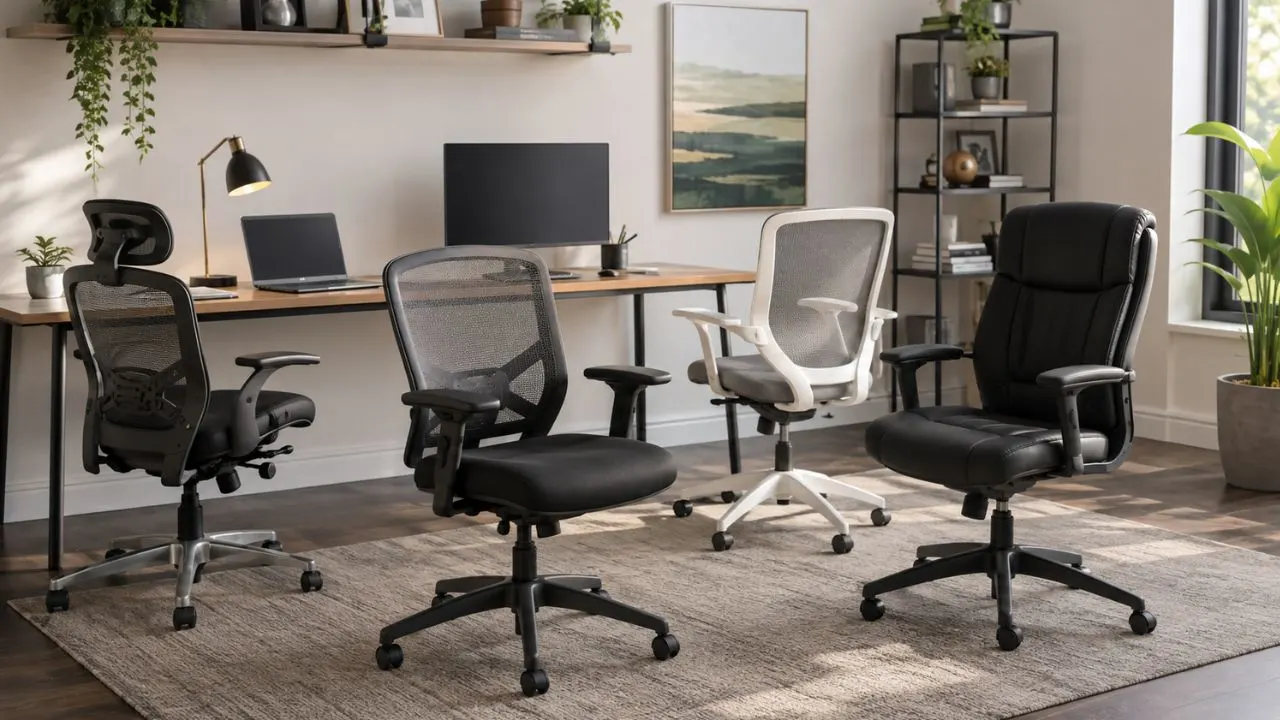

Best Budget Office Chairs: Choose Lasting Comfort for Less
The best budget office chairs provide dependable comfort without charging for unnecessary styling, luxury materials, or complicated technology. A suitable chair should support your body, fit beneath your desk, and remain comfortable throughout your normal working day. Price matters, but fit and adjustability should guide the final decision.
A low-cost chair is not automatically a good-value chair. Very cheap models may use thin cushions, fixed armrests, weak reclining mechanisms, or limited warranties. Spending slightly more on useful adjustments can reduce the risk of replacing an uncomfortable chair after only a few months of regular use.
Your ideal chair also depends on your height, weight, working hours, desk dimensions, and preferred sitting position. A chair that feels comfortable for a shorter user may have a seat that is too shallow for a taller person. Similarly, firm mesh and soft foam seats provide noticeably different sitting experiences.
This guide compares affordable chairs across several price levels, including options below $200 and stronger models below $500. Product prices frequently change, so treat the figures as approximate August 2026 references and confirm the current price, dimensions, return policy, and warranty before ordering.
Quick Budget Chair Picks
The Branch Ergonomic Chair is the strongest overall option for people who want balanced comfort, useful adjustments, and a longer warranty without entering the premium-chair category. Tom’s Guide selected it as its leading budget chair for 2026, highlighting its comfort, adjustability, and seven-year warranty.
For shoppers looking for the best office chair under $200, the Staples Dexley and ProtoArc Flexer Pro are compelling choices. The Dexley offers a breathable mesh seat, adjustable lumbar support, a headrest, and a five-year warranty, while WIRED praised the Flexer Pro for delivering several ergonomic adjustments at a discounted price.
The Hbada Office Task Chair is a practical ultra-budget choice for occasional work, studying, or compact rooms. The Sihoo M18 provides a more supportive padded seat and adjustable lumbar section for people who prefer cushioning. These chairs cost less than many fully adjustable models but involve compromises in refinement or customisation.
The Boulies OP300, Vari Task Chair, Haworth Breck, and UPLIFT Pursuit suit people who can spend closer to $400 or $500. They offer stronger mechanisms, better warranties, or more detailed adjustments than entry-level products, making them attractive for full-time home offices and longer daily sitting sessions.
What Counts as a Budget Chair?
A budget office chair does not have one fixed price because expectations vary between occasional and full-time users. Someone working two hours daily may find a basic $100 task chair sufficient, while an eight-hour user may view a durable $400 chair as affordable compared with premium models costing considerably more.
The lowest price range generally provides seat-height adjustment, basic reclining, fixed lumbar shaping, and simple armrests. These features can work for light use, but the chair may not adapt closely to your body. Always prioritise a stable base, suitable dimensions, and a return policy over decorative additions.
Mid-budget ergonomic office chairs usually add adjustable lumbar support, movable armrests, seat-depth controls, tilt tension, or locking recline positions. These adjustments matter because they allow the chair to fit different leg lengths, desk heights, working positions, and personal preferences more accurately.
Upper-budget models may offer stronger warranties, refined mechanisms, higher weight capacities, better materials, and easier assembly. They still cost less than recognised premium chairs but can provide better long-term value. The right budget therefore depends on how often you sit and which adjustments your body genuinely needs.
Branch Ergonomic Chair: Best Overall
The Branch Ergonomic Chair is one of the best budget office chairs for people who want a balanced combination of support, appearance, and adjustability. Tom’s Guide placed it first in its 2026 budget guide and listed it at approximately $359, positioning it between entry-level chairs and expensive professional seating.
The chair includes adjustable seat height, armrests, and lumbar support, helping users change the fit around their desk and body. Its mesh back supports airflow, while the cushioned seat provides a softer surface than an all-mesh design. These features make it suitable for general home-office and hybrid-working environments.
Its seven-year parts and components warranty is another important advantage. A longer warranty does not guarantee that every user will find a chair comfortable, but it can indicate greater manufacturer confidence and reduce the financial risk associated with failed parts or mechanisms.
Choose this chair when you need a dependable everyday option and can spend more than the minimum. Extremely tall, short, or heavier users should still check the available dimensions and capacity carefully. No chair is universally ergonomic, and even a well-reviewed model must match the individual using it.
Staples Dexley: Best Under $200
The Staples Dexley is a strong option for shoppers searching for an affordable mesh office chair with several practical features. Its listed price was approximately $170 in August 2026, although sale prices can change. WIRED also identified it as a long-standing value choice in the under-$200 category.
The chair has an all-mesh seat and back, adjustable seat height, movable armrests, lumbar support, a headrest, tilt tension, and three locking recline positions. Mesh may help users feel cooler than thick upholstery, particularly in warm offices or rooms without powerful air conditioning.
Staples rates the Dexley for up to 275 pounds and provides a five-year limited warranty. The seat height ranges from about 16.6 to 20.3 inches, which can accommodate many average-height users. Checking these measurements remains essential because the seat and headrest may not fit every body equally well.
Buy the Dexley when airflow, reclining, and a headrest matter more than plush cushioning. Avoid ordering solely because it is discounted, especially when you cannot return an assembled chair. Test whether the mesh edge presses against your thighs and whether the lumbar section meets the correct part of your back.
ProtoArc Flexer Pro: Best Adjustable Value
The ProtoArc Flexer Pro stands out as a feature-rich option for shoppers with a strict budget. WIRED selected it as a leading office chair below $200 for 2026 and reported a sale price of approximately $176, compared with a substantially higher original listing. Prices and promotions may vary considerably between retailers.
Its main appeal is the number of ergonomic adjustments available at its price. A chair with several controls can offer better value when those controls help you position the seat, arms, back, and lumbar area correctly. However, more levers are useful only when you take time to understand and adjust them.
WIRED praised the chair’s build quality and five-year warranty but noted that it may not suit people taller than six feet. This limitation demonstrates why product dimensions should matter more than a general “best chair” label. A supportive backrest can still feel uncomfortable when it ends too low.
The Flexer Pro is best for average-height users who want adjustability without moving into the $300 range. Taller shoppers should compare its backrest, seat depth, and headrest position against their measurements. A larger chair may be worth the additional cost when it provides complete thigh and upper-back support.
Hbada Task Chair: Best Ultra-Budget Pick
The Hbada Office Task Chair targets buyers who need a simple chair at the lowest practical price. Tom’s Guide selected it as its tight-budget choice for 2026 and listed it at approximately $100, noting its basic lumbar support and armrests that can flip upward.
Flip-up arms make the chair useful in small rooms because it can slide beneath many desks when not being used. This design may also suit people who occasionally prefer an armless sitting position. The compact frame can be easier to place in bedrooms, study corners, and temporary workspaces.
The trade-off is limited adjustability compared with more expensive ergonomic office chairs. Basic lumbar shaping cannot be positioned as precisely as height- or depth-adjustable support. The seat and back may work well for shorter sessions but could feel restrictive during long, uninterrupted working days.
Choose the Hbada for light remote work, homework, administrative tasks, or a secondary desk. Full-time users should consider increasing their budget for adjustable lumbar support and seat-depth control. Saving money initially is less valuable when poor fit causes frequent discomfort or encourages an early replacement.
Sihoo M18: Best Padded Budget Chair
The Sihoo M18 is a widely considered budget ergonomic office chair for users who prefer a padded seat with a breathable back. Its design includes a W-shaped cushion, mesh backrest, and dual-adjustable lumbar support, creating a different feel from firm all-mesh chairs such as the Staples Dexley.
A foam seat can feel more familiar to users moving from a traditional office chair. However, cushion comfort depends on density, shape, and body weight. A soft seat may feel welcoming initially but should still distribute pressure evenly and prevent the user from sinking into an unstable position.
The adjustable lumbar section is the main reason to consider the M18 over a basic task chair. Lumbar support should meet the inward curve of the lower back without pushing the user sharply forward. Small adjustments can make a significant difference, so test several positions instead of accepting the factory setting.
This chair is suitable for home-office users wanting cushioning, a headrest, and stronger back support on a limited budget. Compare the exact regional specifications because availability, pricing, warranties, and product configurations may differ. Return options are especially important when purchasing a chair that cannot be tested locally.
Boulies OP300: Best for Long Hours
The Boulies OP300 is designed for shoppers who need more adjustment than a typical cheap office chair provides. Tom’s Guide highlighted it as its comfort-focused budget selection at around $369, while the manufacturer lists seat-depth adjustment, backrest-height adjustment, head support, reclining, and multi-directional armrest controls.
Its seat can tilt slightly forward as well as backward, which may appeal to people who move between focused typing and relaxed reading. The backrest reclines from 85 to 113 degrees, and the user can adjust the seat depth to improve thigh support. These features are uncommon in basic office chairs.
The OP300 also provides a wider seat than many standard chairs, measuring approximately 52.5 centimetres across. A roomier seat can benefit larger users or people who dislike narrow side supports. However, a wide chair may not fit comfortably beneath a compact desk or between fixed drawer units.
Choose this model when you sit for long periods and value detailed adjustments over minimalist styling. Its two-year limited warranty is shorter than the coverage offered by Branch, Haworth, Vari, Staples, or UPLIFT, so include warranty length in your value comparison before making the final purchase.
Vari Task Chair: Best Simple Setup
The Vari Task Chair is an upper-budget option for buyers who want straightforward adjustment and easy assembly. It was listed at $429 in August 2026 and includes controls for the chair back, seat, armrests, tilt, and tension. Its contoured frame is designed to follow the natural curves of the spine.
The seat height adjusts from approximately 17.6 to 22 inches, and Vari lists a weight capacity of 300 pounds. The chair uses rolling casters suitable for carpet or wood flooring and has been tested against the BIFMA X5.1 office-chair durability standard.
A five-year whole-product replacement warranty and free 30-day return arrangement strengthen its value. Easy assembly may also matter to buyers who do not want to manage numerous components or complicated instructions. Vari states that the required tools are included and assembly takes only a few minutes.
This model suits users who prefer a cushioned seat, mesh back, uncomplicated appearance, and dependable after-sales protection. At its price, compare it closely with Haworth Breck and Branch before ordering. Small differences in seat depth, lumbar shape, and arm movement may determine which chair fits best.
Haworth Breck: Best Warranty
The Haworth Breck is one of the strongest upper-budget office chairs for shoppers who prioritise warranty coverage and responsive support. Tom’s Guide highlighted it as a stylish budget choice, while Haworth listed it at approximately $435 with a 12-year warranty and 30-day return period.
Its GeoStretch back contains different support zones intended to balance flexibility and firmness. The chair also includes a weight-activated reclining mechanism, built-in lumbar shaping, four-directional arm adjustments, and a three-position backstop. These controls provide useful customisation without requiring a complicated set of tension adjustments.
The Breck weighs about 30 pounds, supports up to 325 pounds, and has an adjustable seat depth of approximately 15 to 17.25 inches. It ships in four primary pieces and can be assembled without tools, which makes it easier to move and prepare than many heavier ergonomic chairs.
Choose the Breck when you want recognised commercial-office engineering without spending premium-chair prices. Taller users should examine the maximum seat depth carefully because a shallow seat may provide insufficient thigh support. The built-in lumbar curve may also feel less personalised than a fully adjustable lumbar pad.
UPLIFT Pursuit: Best Under $500
The UPLIFT Pursuit sits near the top of the budget category, with Tom’s Guide listing it at approximately $499. It is a better fit for buyers seeking a long warranty, adjustable headrest, supportive foam seat, and several reclining positions without crossing into four-figure pricing.
The chair has a mesh back, a 2.5-inch moulded foam cushion, a five-spoke aluminium base, and a seat-height range of 17 to 21 inches. It also provides rotating arm pads, three inches of vertical arm movement, and depth-adjustable lumbar support.
UPLIFT lists four locking recline positions, a weight capacity of 250 pounds, and compliance with the ANSI/BIFMA X5.1-2017 general-purpose office-chair standard. Its 15-year warranty is notably longer than the coverage supplied with many budget and mid-range chairs.
Consider the Pursuit when warranty length and upper-body support justify stretching your budget. Its 250-pound capacity is lower than those of some less expensive competitors, so heavier users should choose according to the official limit. Also check whether the 18-inch usable seat depth suits your leg length.
Features That Matter Most
Seat-height adjustment is the minimum essential feature because your feet should rest securely on the floor or a footrest. Your thighs should feel supported without excessive pressure behind the knees. A chair that cannot reach the correct height will remain uncomfortable regardless of its cushion or appearance.
Seat depth is particularly important for short and tall users. A deep seat can prevent a shorter person from reaching the backrest, while a shallow seat may leave a taller user without sufficient thigh support. OSHA guidance states that the seat pan should support the thighs without touching the backs of the knees.
Lumbar support should meet the inward curve of the lower back. Adjustable support is usually more versatile than a fixed plastic shape because people have different torso lengths and spinal curves. A budget office chair with lumbar support should feel supportive rather than creating a hard pressure point.
Armrests, reclining controls, breathable materials, stable casters, and warranty protection complete the buying checklist. Armrests should allow relaxed shoulders and comfortable elbows without preventing the chair from approaching the desk. Prioritise the features affecting body position before paying for a headrest, footrest, decorative colour, or gaming-style design.
Choose for Your Body Type
Shorter users should focus on a low minimum seat height and a shallower adjustable seat. When the chair remains too high, the feet may hang or require an additional footrest. A backrest and lumbar pad positioned too high can also miss the intended area and create discomfort.
Taller users should search for a deeper seat, higher backrest, suitable maximum seat height, and adjustable headrest. The best budget office chair for a tall person may cost more because larger dimensions and longer cylinders are less common among entry-level task chairs. Always compare measurements instead of relying on marketing photographs.
Larger users should check the tested weight capacity, width between armrests, seat width, and base construction. Choosing a chair with a capacity comfortably above your current weight can provide greater stability. Wide seats are useful only when the armrests and desk opening also provide enough room.
People who sit cross-legged or frequently change position may prefer a flat, wide cushion and armrests that move outward or detach. Those who remain upright for detailed tasks may value forward tilt and stronger lumbar support. Match the chair to your real behaviour instead of the posture shown in promotional images.
Chairs for Back Discomfort
The best office chair for back pain is not necessarily the chair with the thickest lumbar cushion. Support should fit the user’s lower-back curve while allowing comfortable movement. Excessively aggressive lumbar padding can push the pelvis forward and become as distracting as having no support.
Adjustable seat depth, backrest position, reclining tension, and arm height can be as important as the lumbar component. OSHA recommends supportive seating that assists the lower back, legs, and forearms. The organisation also advises workers to sit against the backrest and adjust the chair to the work surface.
A chair cannot compensate for a monitor that is too low, a keyboard positioned too far away, or several hours of uninterrupted sitting. Change position regularly, take movement breaks, and place frequently used objects within comfortable reach. Ergonomic equipment works best as part of a properly arranged workstation.
Persistent, severe, or worsening pain deserves assessment from a qualified healthcare professional rather than relying entirely on furniture changes. An ergonomic chair may improve comfort and positioning, but it is not a medical treatment or a guaranteed solution for an underlying spinal, muscular, or neurological condition.
Set Up Your Chair Correctly
Begin by adjusting the seat height until your feet rest flat and your knees remain close to hip level. Sit fully against the backrest instead of perching on the front edge. Use a stable footrest when the desk requires a chair height that prevents your feet from reaching the floor.
Next, adjust the seat depth so that the cushion supports most of your thighs while leaving a small gap behind your knees. Move the lumbar support until it meets the natural lower-back curve. Avoid setting it so firmly that it forces your upper body away from the backrest.
Position the armrests beneath relaxed forearms without lifting your shoulders. Bring the chair close enough to the desk that you can reach the keyboard while keeping your elbows near your sides. If the armrests hit the desk, lower, narrow, pivot, remove, or move them backward when possible.
Finally, adjust the recline tension so the backrest supports movement without suddenly pushing you forward. Alternate between slightly upright and moderately reclined positions during the day. No single posture remains ideal indefinitely, so use the chair’s movement rather than locking your body into one position for hours.
Avoid Buying Mistakes
Do not buy a chair based only on star ratings. Comfort reviews are highly personal because users have different heights, weights, desks, pain histories, and sitting preferences. Read reviews from people with a similar build, but confirm the official dimensions and return rules before making a decision.
Avoid assuming that a headrest automatically improves ergonomics. A poorly positioned headrest may push the head forward or remain unused during normal typing. Seat depth, lumbar placement, height range, and arm adjustment usually have a greater influence on everyday working comfort.
Do not ignore the warranty simply because the chair is inexpensive. Gas cylinders, armrests, casters, tilt mechanisms, and mesh panels can wear or fail. A chair costing slightly more may provide better value when the manufacturer supplies replacement parts or longer coverage.
Most importantly, do not keep an uncomfortable chair because you expect your body to adapt. Use the trial period to test normal working sessions, not a five-minute sit. Return the chair when the dimensions, cushion, lumbar curve, or armrests prevent a comfortable and sustainable position.
Conclusion: Buy for Fit, Not Price
The best budget office chairs balance affordability with the adjustments that matter to your body. Branch offers the strongest all-round package, while the Staples Dexley and ProtoArc Flexer Pro deliver attractive value below $200. Hbada suits lighter use, and Sihoo provides a cushioned alternative.
For longer working days, the Boulies OP300 adds detailed seat and back adjustments. Vari provides simple setup and dependable coverage, Haworth Breck combines responsive support with a 12-year warranty, and UPLIFT Pursuit offers extensive protection and useful upper-budget features.
Before ordering, compare the seat-height range, seat depth, backrest dimensions, weight limit, arm movement, and warranty. Measure your desk opening and consider the room available behind the chair. These practical checks are more reliable than choosing the model with the longest feature list.
A sensible chair should help you work comfortably without consuming your entire furniture budget. Set a realistic price range, identify your essential adjustments, and use the return period properly. The best affordable office chair is ultimately the one that fits your body, desk, and daily routine.
Frequently Asked Questions
What is the best budget office chair overall?
The Branch Ergonomic Chair is a strong overall choice because it balances adjustability, comfort, appearance, and a seven-year warranty. The best model still depends on your body measurements and available budget.
What is the best office chair under $200?
The Staples Dexley and ProtoArc Flexer Pro are leading options below $200. Dexley suits users who prefer full mesh, while the Flexer Pro offers several adjustments but may be less suitable for people over six feet tall.
Are cheap office chairs good for long hours?
Some affordable chairs can support long workdays, but basic models often lack seat-depth and lumbar adjustments. Full-time users should prioritise fit, warranty coverage, and adjustable support rather than choosing the lowest price.
Is mesh or foam better for an office chair?
Mesh provides airflow and responsive support, while foam feels softer and more familiar. Neither material is universally better, so choose according to room temperature, pressure preference, body weight, and the quality of the construction.
How much should I spend on a budget office chair?
Occasional users may find a suitable chair between $100 and $200. People working full days should consider approximately $300 to $500 for better adjustability, construction, warranties, and long-term comfort.



