
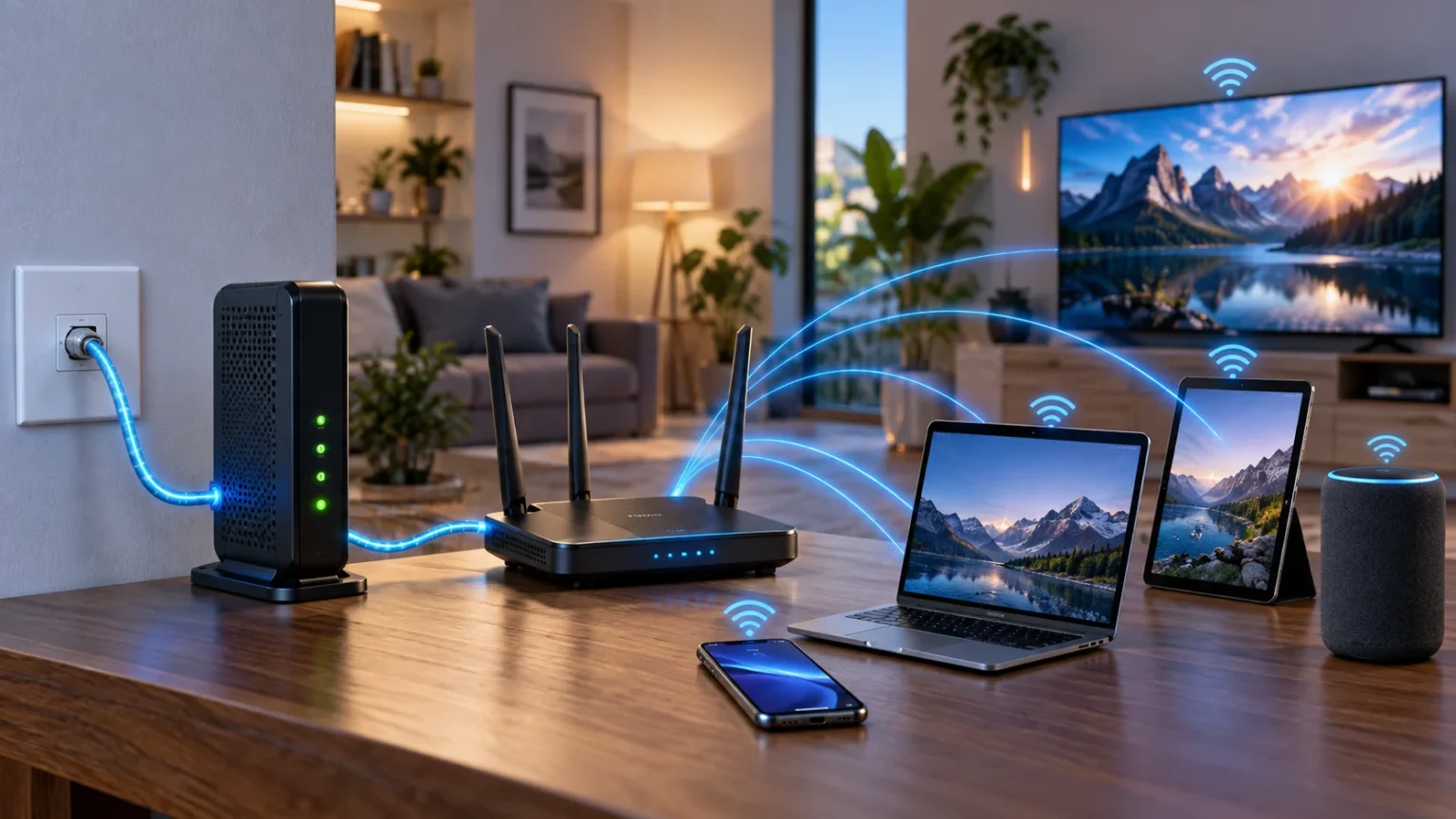

A modem and a router are both important parts of many home and business internet setups, but they perform different jobs. The modem connects your location to the internet service provided by your ISP, while the router manages communication between devices on your local network. Because modern providers often combine both functions into one device, the difference can easily become confusing.
Understanding modem vs router basics can make internet setup, troubleshooting, upgrades, and Wi-Fi decisions much easier. Knowing which device handles the provider connection and which manages your home network helps you identify problems faster. This guide explains how modems and routers work, where they differ, and whether you need one or both.
What Is a Modem?
A modem is a device that connects your home or business network to your internet service provider. Depending on the connection type, it communicates through cable, DSL, fiber-related equipment, or another access technology. Its primary role is to establish the link that allows internet traffic to travel between your location and the provider’s network.
The word modem originally comes from “modulator-demodulator,” describing technology that converted signals for transmission over communication lines. Modern internet equipment may use different signaling methods, but the basic purpose remains similar. The modem acts as the connection point between your internal equipment and the service delivered by your ISP.
A modem usually receives a connection from the provider on one side and presents an Ethernet connection or another network interface on the other. It does not necessarily create Wi-Fi or manage several local devices by itself. Those responsibilities are generally handled by a router or a combined modem-router unit.
What Is a Router?
A router connects different networks and directs traffic between them. In a typical home, it connects your private local network to the internet connection provided through the modem. It also determines where data should go when phones, laptops, televisions, printers, and other devices communicate with local or external destinations.
Most home routers provide several additional features beyond basic routing. These can include Wi-Fi access, Ethernet switching, DHCP address assignment, firewall functions, and Network Address Translation. These combined features make the router the central device responsible for managing how most household devices communicate.
If you want a deeper explanation of packet forwarding, gateways, Wi-Fi, DHCP, and routing tables, this guide on how a router works covers those concepts in more detail. Understanding routing makes the modem and router distinction much easier to visualize.
Modem vs Router: The Main Difference
The simplest difference is that a modem connects you to your internet provider, while a router connects your devices to one another and directs their traffic. The modem handles the external internet connection, whereas the router manages the internal network. They often work together but solve different networking problems.
A modem generally communicates with infrastructure operated by your ISP. A router works primarily with your local devices and decides whether traffic should remain inside the local network or travel toward the internet. This division of responsibility explains why one device can have a working provider connection while Wi-Fi or local networking still fails.
In many homes, both functions are packaged into the same box, which is why people sometimes use the terms interchangeably. Technically, however, the modem and router functions remain separate even when they share one enclosure. Understanding that difference is useful whenever you troubleshoot or upgrade networking equipment.
How a Modem Connects You to the Internet
Your modem communicates directly with the network operated by your internet service provider. The exact technology depends on your subscription and local infrastructure. Cable connections use coaxial networks, DSL commonly uses telephone-line infrastructure, and fiber services may use specialized optical network equipment before traffic reaches your router.
Once the provider connection is established, the modem makes internet connectivity available to connected network equipment. In a simple setup, one computer could theoretically connect directly to certain modems through Ethernet. However, most households need a router because they want multiple wired and wireless devices to share the connection safely and conveniently.
The modem does not decide how every phone or laptop inside your home communicates with other devices. Its primary job is establishing the path toward the ISP. Your router then takes that connection and creates a manageable local network around it for all the devices you use every day.
How a Router Manages Your Home Network
A router creates the local network that allows multiple devices to communicate and share internet access. When your phone connects to Wi-Fi, the router generally assigns it network information and provides a path toward other destinations. Wired devices connected through Ethernet can participate in the same network.
The router commonly gives devices private IP addresses through DHCP. When those devices access the internet using IPv4, the router may use Network Address Translation so several private devices can share one public address. This process allows dozens of household devices to use one internet subscription at the same time.
The router also decides whether traffic belongs on the local network or should be sent outward through the modem. This happens constantly while you stream videos, browse websites, join video calls, or use cloud applications. Routing makes the internet connection usable across an entire home rather than one directly attached device.
Do You Need Both a Modem and a Router?
Many home internet setups need both modem and router functions. The modem establishes the connection to the provider, while the router distributes that connection among multiple devices. Without the modem function, your network may not reach the ISP, and without the router, sharing the connection becomes far less practical.
Some internet technologies use equipment that does not look like a traditional modem. Fiber services, for example, may use an optical network terminal or other provider equipment before connecting to a router. From the user’s perspective, the important concept is still that one part terminates the provider connection while another manages the local network.
You may not need two separate physical boxes because many providers supply combination devices. These units contain modem and router functions in the same enclosure. Whether you use one combined device or two separate devices depends on your provider, connection type, performance needs, and preferred level of control.
What Is a Modem-Router Combo?
A modem-router combo combines internet access and local network management into one device. It connects to the ISP while also providing Wi-Fi, Ethernet ports, DHCP, routing, and firewall features. Many internet providers supply this type of gateway because it simplifies installation and reduces the number of devices customers need to manage.
Combination devices are convenient for people who want straightforward networking without buying extra hardware. Setup is usually simple, and the provider may be able to troubleshoot or update the unit remotely. Using one box also means fewer power cables, Ethernet connections, and pieces of equipment around the home.
The disadvantage is reduced flexibility. If the Wi-Fi performance becomes outdated, you may need to replace or supplement the entire unit even when the modem portion still works perfectly. Advanced users often prefer separate equipment because they can upgrade the router independently without changing the provider-facing connection.
Separate Modem and Router vs Combo Device
Using separate devices gives you more freedom to choose a router with the wireless coverage, security features, Ethernet capacity, and software controls you want. When newer Wi-Fi standards become available, you can upgrade the router while continuing to use the existing modem as long as it remains compatible with your ISP.
Separate equipment can also simplify troubleshooting because the provider connection and local network are physically distinct. If the modem shows a healthy internet connection but Wi-Fi fails, you can focus on the router. This separation may be particularly helpful for users who frequently adjust or experiment with home networking settings.
A combo device may still be the better choice when simplicity matters more than customization. It can reduce setup complexity and avoid compatibility questions between separate components. Neither approach is universally better, so the right choice depends on your technical comfort, budget, provider requirements, and network expectations.
Does a Modem Provide Wi-Fi?
A basic standalone modem does not normally provide Wi-Fi. Its main role is to establish the connection between your location and the internet provider. If a device labeled as a modem also broadcasts a wireless network, it is most likely a combination gateway that includes both modem and router functions.
Wi-Fi is usually provided by a wireless router or dedicated wireless access point. The router creates the local network and allows compatible devices to connect using radio signals rather than Ethernet cables. This distinction matters when you are trying to improve wireless coverage because replacing the modem may not solve a Wi-Fi problem.
Before buying new equipment, identify whether your current box is a modem, router, or combination gateway. Look at the provider documentation, model information, or administration interface. Understanding what each device actually does prevents unnecessary upgrades and helps you focus on the component responsible for the problem.
Which Device Affects Internet Speed?
Both devices can influence your experience, but in different ways. A modem must support the speed and technology supplied by your internet provider. If it is outdated or incompatible with your service tier, it may prevent you from receiving the full bandwidth available through your internet plan.
The router influences how efficiently that connection reaches your devices. An older wireless router may provide slow Wi-Fi even when the modem and internet service are capable of much higher speeds. Signal interference, distance, congestion, outdated Wi-Fi standards, and limited hardware can all reduce wireless performance.
The internet plan itself also sets an important limit. Replacing a router cannot turn a 100 Mbps subscription into a 1 Gbps internet service. When troubleshooting speed, consider the provider connection, modem capability, router performance, Wi-Fi conditions, Ethernet links, and the receiving device rather than blaming one component automatically.
How Modems and Routers Work Together
When you request a website, your laptop or phone first sends data through the local network to the router. The router recognizes that the destination is outside your home network and forwards the traffic toward the internet connection. The modem then passes that traffic into the infrastructure operated by your ISP.
The request travels through other networks until it reaches the destination server. Response data returns through the internet and eventually reaches your ISP connection. The modem receives the traffic, and the router directs it toward the correct laptop, phone, television, or other local device that initiated the connection.
This entire sequence happens extremely quickly and repeatedly. Streaming video, online gaming, web browsing, messaging, and cloud services all rely on constant exchanges of data. The modem provides the external path, while the router organizes how multiple local devices use that path at the same time.
Modem vs Router for Network Security
A modem is not usually the main device responsible for protecting a home network. Its job focuses primarily on establishing the provider connection. Some modem or gateway equipment may include additional security functionality, but routing and firewall controls are generally associated more closely with the router side of the network.
A router commonly blocks unsolicited inbound connections, manages firewall rules, provides Wi-Fi encryption, and isolates the private local network from the public internet. These features do not guarantee complete security, but they form an important layer of protection. Secure configuration remains necessary for connected computers, phones, cameras, and smart devices.
Keep router firmware updated, use strong administrator credentials, choose modern Wi-Fi security settings, and disable unnecessary remote-management features. Provider equipment should also receive supported updates. Good network security depends on the entire environment rather than assuming either a modem or router can protect every device automatically.
Common Modem and Router Problems
A modem problem may appear as a complete loss of internet connectivity even when your local Wi-Fi network remains visible. Provider outages, signal problems, damaged cables, equipment failure, or account issues can prevent the modem from maintaining its connection. Checking status lights and provider outage information can help narrow down the cause.
Router problems may look different. You might have a healthy modem connection while Wi-Fi becomes weak, devices fail to receive addresses, or only certain parts of the home lose connectivity. Restarting the router may fix temporary software problems, but repeated issues can indicate configuration, coverage, interference, or hardware limitations.
When troubleshooting, identify which layer is failing before replacing equipment. Test an Ethernet connection when possible, check whether several devices are affected, and look at modem and router status indicators. Separating provider connectivity from local networking problems can save time and prevent unnecessary hardware purchases.
How to Choose the Right Modem and Router
Start by checking which modem models or connection devices your internet provider supports. Cable providers may publish compatibility lists, while fiber or DSL services may require specific provider equipment. A modem that cannot communicate correctly with the ISP will not work regardless of how powerful your router is.
Choose a router based on your home’s size, internet speed, connected-device count, and coverage requirements. Large homes may benefit from mesh Wi-Fi or multiple access points, while smaller apartments may work well with one properly positioned router. Ethernet capacity and security features may also matter for offices or advanced home networks.
Think about future requirements as well as your current internet package. Buying reasonably modern equipment can delay the need for another upgrade when your service speed increases or you add more devices. However, expensive features provide little value if your provider connection or household usage cannot take advantage of them.
Conclusion
The main difference between a modem and a router is simple: the modem connects your location to the internet provider, while the router connects and manages devices on your local network. They frequently work together, but each handles a different part of the overall internet connection.
Many modern homes use a modem-router combination supplied by an internet provider, while others use separate equipment for greater flexibility. Separate devices make independent upgrades easier, whereas combination gateways provide simpler installation and management. The best setup depends on your connection type, coverage needs, technical preferences, and budget.
Knowing the difference also makes troubleshooting much easier. If the provider connection fails, investigate the modem or ISP side, while weak Wi-Fi or local connectivity problems often point toward the router. Understanding these roles gives you a clearer picture of how your home network reaches and uses the internet.
FAQs
What is the biggest difference between a modem and a router?
A modem establishes the connection to your internet provider, while a router manages your local network and distributes that connection among multiple wired or wireless devices.
Can I use a router without a modem?
Yes, a router can create a local network without internet access. However, reaching the internet usually requires a modem, fiber terminal, or another provider-facing device connected to the router.
Does a modem have Wi-Fi?
A basic modem normally does not provide Wi-Fi. If your provider’s device broadcasts a wireless network, it is likely a combined modem-router gateway containing both networking functions.
Should I buy a separate modem and router?
Separate devices offer more flexibility and easier upgrades, while combination units provide simpler setup. Your best option depends on ISP compatibility, budget, desired Wi-Fi performance, and networking needs.
Which should I restart first, the modem or router?
When troubleshooting both devices, you can usually restart the modem first, allow it to reconnect to the provider, and then restart the router. Follow your ISP’s instructions if they recommend a specific sequence.



