
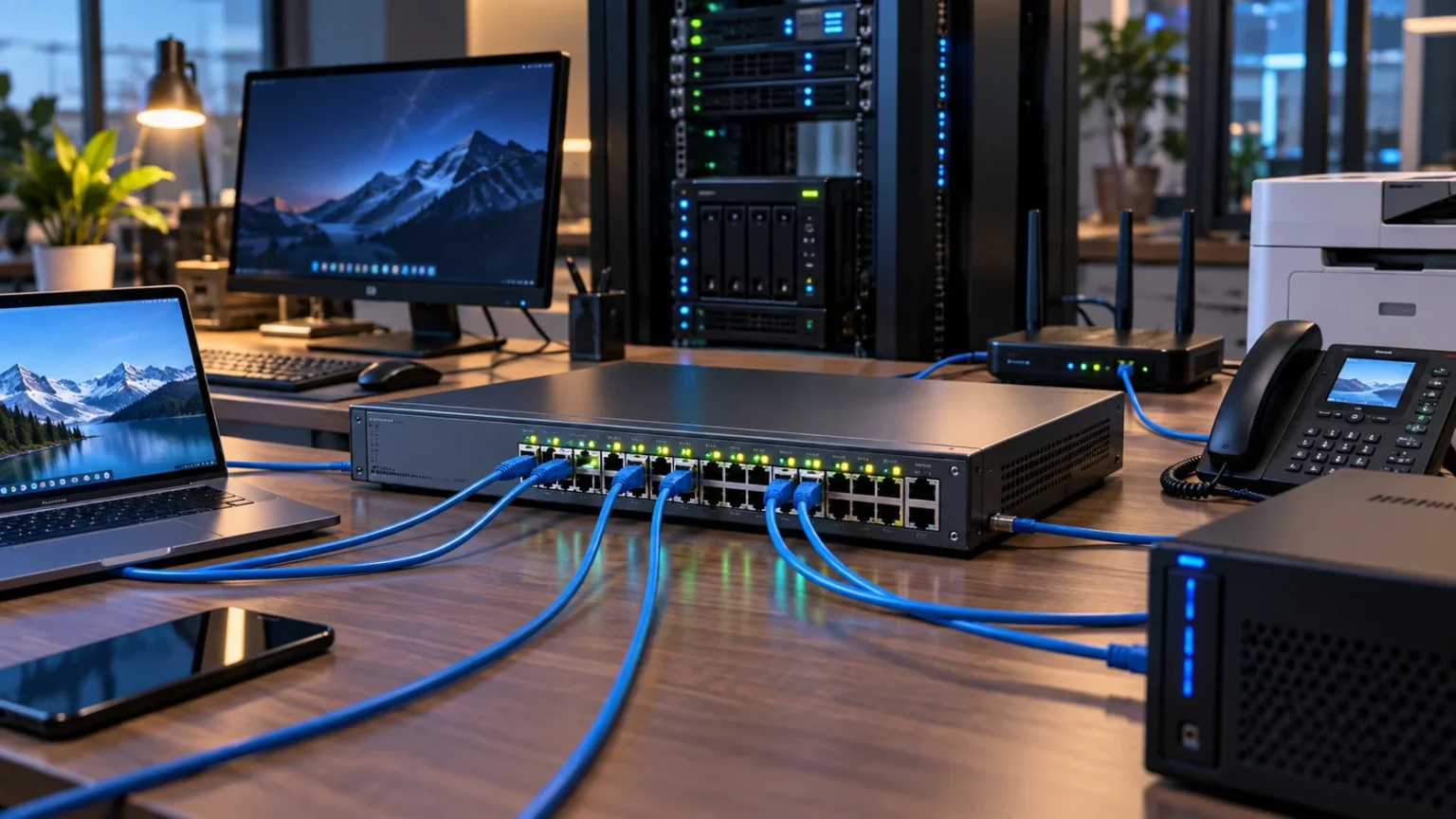

A network switch is a device that helps computers, printers, servers, cameras, access points, and other equipment communicate within the same local network. Instead of sending every piece of data to every connected device, a switch identifies where traffic needs to go and forwards it toward the appropriate destination. This makes wired networks more organized and efficient.
Switches are commonly used in offices, schools, data centers, and larger home networks where several Ethernet-connected devices need reliable communication. They may look simple from the outside, but they perform important tasks involving MAC addresses, Ethernet frames, network ports, VLANs, and traffic forwarding. Understanding how switches work provides a strong foundation for learning computer networking.
What Is a Network Switch?
A network switch is a hardware device that connects multiple devices within a local area network, commonly called a LAN. Devices connect to the switch through Ethernet ports, and the switch allows them to exchange data. A typical switch may connect desktop computers, printers, servers, wireless access points, security cameras, and other network equipment.
Switches primarily operate at Layer 2 of the OSI networking model, where they forward Ethernet frames using MAC addresses. Each network interface has a MAC address that helps identify it on the local network. The switch learns which MAC addresses are available through its ports and uses that information to send traffic efficiently.
Some advanced switches can also perform Layer 3 functions such as IP routing between networks or VLANs. These devices are often called multilayer or Layer 3 switches. However, the basic purpose remains the same: provide reliable connectivity between devices while directing network traffic toward the appropriate destination.
How Does a Network Switch Work?
When a device sends an Ethernet frame into a switch, the switch examines the source and destination MAC addresses. It learns which port the source device is connected to and stores this information in a MAC address table. This table helps the switch remember where connected devices are located.
If the switch already knows which port belongs to the destination MAC address, it forwards the frame only through that port. This is more efficient than sending the traffic through every available connection. As devices continue communicating, the switch gradually learns the layout of the local network and updates its forwarding information.
If the destination address is unknown, the switch may temporarily send the frame through multiple relevant ports except the one where it arrived. Once the destination responds, the switch learns its location. Future traffic can then be forwarded directly rather than being repeatedly sent across the entire local network.
What Is a MAC Address Table?
A MAC address table is a database maintained by a network switch. It maps MAC addresses to physical switch ports so the device knows where particular network interfaces can be reached. This information is learned automatically as Ethernet frames travel through the switch during normal communication.
Suppose a computer connected to port one sends data through the switch. The switch sees the computer’s source MAC address and records that it can be reached through port one. If another connected device later needs to send data to that computer, the switch can forward the traffic directly to the correct port.
MAC address entries are not necessarily stored forever. Switches usually remove inactive entries after a period of time so the table can adapt when devices move between ports or disconnect. This automatic learning process allows a switch to manage network traffic dynamically without requiring administrators to manually map every device.
Switch vs Router: What Is the Difference?
A switch mainly connects devices within the same local network, while a router connects different networks. For example, a switch may connect several office computers and printers together, while the router provides a path from that office network to the internet. The two devices often work together in larger network setups.
Switches generally make forwarding decisions using MAC addresses at Layer 2, while routers usually make decisions using IP addresses at Layer 3. A switch focuses on local Ethernet communication, whereas a router determines how traffic should move between separate IP networks. Advanced Layer 3 switches can blur this distinction by supporting routing features.
Home users may not see a separate switch because many consumer routers include a small Ethernet switch internally. Understanding these devices also makes it easier to learn how telecommunication works, since modern communication systems rely on interconnected network equipment to move data between devices and networks. If you want to understand the difference between internet-facing equipment and local networking devices, this guide comparing a modem vs router provides useful background on how common network components work together.
Switch vs Hub: What Is the Difference?
A hub is an older networking device that sends incoming traffic to all connected ports. It does not intelligently determine which specific device should receive a frame. This means every connected device may see traffic even when the data was intended for only one network interface.
A switch improves on this design by learning MAC addresses and forwarding known unicast traffic only toward the relevant port. This reduces unnecessary traffic and allows several conversations to happen across the network more efficiently. Modern Ethernet networks therefore use switches instead of traditional hubs in almost every practical environment.
Hubs also create one shared collision domain, which can reduce efficiency when several devices attempt to communicate simultaneously. Each switch port normally creates a separate collision domain when using modern full-duplex Ethernet. This makes switches significantly more scalable and appropriate for today’s high-speed wired networks.
Managed vs Unmanaged Network Switches
An unmanaged switch is designed for simple plug-and-play networking. You connect devices with Ethernet cables, power on the switch, and it begins forwarding traffic without requiring detailed configuration. These switches are popular for homes, small offices, and situations where advanced network control is unnecessary.
Managed switches provide administrators with configuration and monitoring options. Depending on the model, they may support VLANs, port security, link aggregation, traffic prioritization, spanning tree, monitoring, and remote management. These features are particularly valuable in business networks where administrators need greater control over security, performance, and network organization.
Managed switches generally cost more and require additional networking knowledge. However, they also provide greater flexibility when networks expand or become more complex. Choosing between managed and unmanaged equipment depends on the number of devices, security needs, network design, expected growth, and how much administrative control is required.
What Is a PoE Switch?
PoE stands for Power over Ethernet. A PoE switch can provide both network data and electrical power through the same Ethernet cable to compatible devices. This reduces the need for separate power adapters and electrical outlets near every network device.
Wireless access points, IP security cameras, VoIP phones, and certain smart building devices commonly use PoE. For example, a ceiling-mounted wireless access point can receive network connectivity and power through one cable connected to a PoE switch. This can make installation cleaner and more flexible.
Different PoE standards support different power levels, so compatibility should be checked before connecting equipment. The switch must have enough overall power capacity for all connected PoE devices. Network administrators often refer to this available capacity as the PoE power budget when planning installations.
What Are Switch Ports?
Switch ports are physical interfaces where network cables connect devices to the switch. Common desktop switches may include five, eight, sixteen, twenty-four, or forty-eight Ethernet ports. Enterprise equipment can include additional uplink interfaces or modular ports designed for fiber connections and higher network speeds.
Port speed can vary depending on the switch. Common options include Fast Ethernet at 100 Mbps, Gigabit Ethernet at 1 Gbps, and faster standards such as 2.5, 5, 10, or even higher gigabit speeds. The actual connection speed also depends on the network interface, cable quality, configuration, and connected equipment.
Some switches automatically negotiate the highest compatible speed and duplex mode with connected devices. Managed switches may also allow administrators to disable ports, monitor traffic, apply security rules, or place ports into different VLANs. These controls make individual switch ports important building blocks in larger network designs.
What Are VLANs on a Switch?
A VLAN, or Virtual Local Area Network, allows a managed switch to divide one physical network into multiple logical networks. Devices can be separated into different groups even when they connect to the same physical switch. This helps administrators organize network traffic without requiring a completely separate switch for each department or purpose.
For example, a business might create one VLAN for employees, another for guest devices, and another for security cameras. Traffic between these VLANs can then be controlled through a router, firewall, or Layer 3 switch. This separation can improve security and simplify network administration.
VLANs also help reduce unnecessary broadcast traffic because each VLAN forms its own broadcast domain. However, proper configuration is important because incorrect VLAN settings can prevent devices from communicating. Administrators must understand access ports, trunk links, VLAN IDs, and routing requirements before deploying more complex VLAN environments.
How Switches Improve Network Performance
A switch improves network efficiency by forwarding most known traffic only where it needs to go. If one computer sends a file to another, the switch can direct those Ethernet frames toward the destination port instead of transmitting them to every connected device. This reduces unnecessary traffic across the network.
Modern switches also allow devices on separate ports to communicate simultaneously. One computer can transfer data to a server while another device communicates with a printer, depending on bandwidth and switch capabilities. This parallel communication makes switched Ethernet much more efficient than older shared-media network designs.
Performance still depends on the switch’s hardware, port speeds, uplinks, cabling, and traffic patterns. A 1 Gbps access switch connected to the rest of the network through an overloaded uplink may still experience congestion. Network design therefore needs to consider both individual port speeds and the capacity connecting switches together.
What Is a Layer 2 Switch?
A Layer 2 switch primarily forwards Ethernet frames based on MAC addresses. It operates within local network segments and builds a MAC address table by learning where devices are connected. This is the traditional type of switching used in many home, office, and access-layer network environments.
Layer 2 switches can support advanced features even though they do not perform normal IP routing between separate networks. Managed models may include VLANs, Spanning Tree Protocol, link aggregation, port security, and traffic monitoring. These capabilities allow administrators to build organized and resilient Ethernet networks.
When devices in different IP networks or VLANs need to communicate, another Layer 3 device is normally required. This may be a router, firewall, or Layer 3 switch. The Layer 2 switch handles communication inside each local segment while the routing device connects those separate segments together.
What Is a Layer 3 Switch?
A Layer 3 switch combines traditional Ethernet switching with certain routing capabilities. It can make forwarding decisions using both MAC addresses and IP network information. These switches are common in business, campus, and data center environments where communication between multiple VLANs needs to happen efficiently.
One common use for a Layer 3 switch is inter-VLAN routing. Instead of sending all traffic between VLANs through a separate external router, the switch can route packets internally. This can provide high performance because switching and routing operations are often handled by specialized hardware.
Layer 3 switches do not necessarily replace routers or firewalls in every situation. Internet connectivity, advanced security, WAN features, VPN functionality, and complex routing may still require dedicated devices. Network architects choose equipment based on the specific role each component needs to perform within the infrastructure.
How Network Switches Handle Broadcast Traffic
Not every Ethernet frame has one specific destination. Broadcast frames are designed to reach all devices within the same broadcast domain. Certain network operations, including parts of address discovery and automatic configuration, depend on broadcast communication to locate or communicate with nearby devices.
A traditional Layer 2 switch forwards broadcast frames through all relevant ports within the same VLAN except the incoming port. This behavior is necessary for many network functions, but too much broadcast traffic can reduce network efficiency. Larger environments therefore use VLANs and routing to divide networks into smaller broadcast domains.
Managed switches may also provide features that help control unusual or excessive broadcast traffic. Storm control, VLAN design, and monitoring can prevent one problem from affecting an entire switched network. Good network planning becomes increasingly important as the number of connected devices grows.
Where Are Network Switches Used?
Home users may add a switch when their router does not provide enough Ethernet ports. An eight-port switch, for example, can connect desktop computers, gaming consoles, smart televisions, network storage devices, and other wired equipment. For basic use, an unmanaged Gigabit Ethernet switch is often sufficient.
Businesses use switches extensively because offices may contain hundreds or thousands of wired devices. Access switches connect employee computers, phones, printers, cameras, and wireless access points. Larger distribution or core switches then connect different areas of the organization and carry higher volumes of network traffic.
Data centers rely on powerful high-speed switches to connect servers, storage systems, virtualization platforms, and other infrastructure. These environments may use 10, 25, 40, 100, or faster gigabit connections. Although the scale changes dramatically, the fundamental purpose remains connecting devices and moving data efficiently.
How to Choose the Right Network Switch
Start by deciding how many devices need wired connections. Choose a switch with enough ports for current equipment while leaving some room for future expansion. Buying exactly the number of ports you need today may force you to add another switch sooner than expected when the network grows.
Consider port speed and management requirements as well. Gigabit Ethernet is common for everyday networks, while faster speeds may be useful for servers, storage devices, or high-performance workstations. Managed features become important when you need VLANs, traffic monitoring, port security, link aggregation, or other administrative controls.
PoE capability should also be considered if you plan to connect wireless access points, IP phones, or security cameras. Check both individual port power support and the total PoE budget. A well-chosen switch should match your current network while providing enough capacity for reasonable future expansion.
Conclusion
A network switch connects devices within a local network and intelligently forwards Ethernet traffic between them. It learns MAC addresses, builds a forwarding table, and sends known traffic toward the correct port. This approach makes modern wired networks much more efficient than older hub-based designs.
Switches range from simple unmanaged desktop devices to advanced managed and Layer 3 systems used in enterprise networks and data centers. Features such as VLANs, Power over Ethernet, port monitoring, link aggregation, and routing allow switches to support increasingly complex network requirements.
Understanding network switches makes it easier to see how computers, routers, access points, servers, and other devices communicate. Whether you are building a small home network or learning professional networking, switches are one of the core technologies behind reliable Ethernet communication and organized local networks.
FAQs
What does a network switch do?
A network switch connects devices within a local network and forwards Ethernet frames toward the correct destination. It typically uses MAC addresses to determine which switch port should receive specific traffic.
Is a switch the same as a router?
No. A switch primarily connects devices within a local network, while a router connects different IP networks. Advanced Layer 3 switches can perform some routing functions as well.
Do I need a network switch at home?
You may need one if your router does not have enough Ethernet ports for your wired devices. A basic unmanaged Gigabit switch is often sufficient for typical home-network expansion.
Does a network switch provide Wi-Fi?
A normal Ethernet switch does not create Wi-Fi. However, it can connect wireless access points that provide Wi-Fi coverage to phones, laptops, and other wireless devices.
What is the difference between managed and unmanaged switches?
An unmanaged switch works with little configuration, while a managed switch provides control over features such as VLANs, port security, monitoring, traffic management, and other advanced network settings.



