
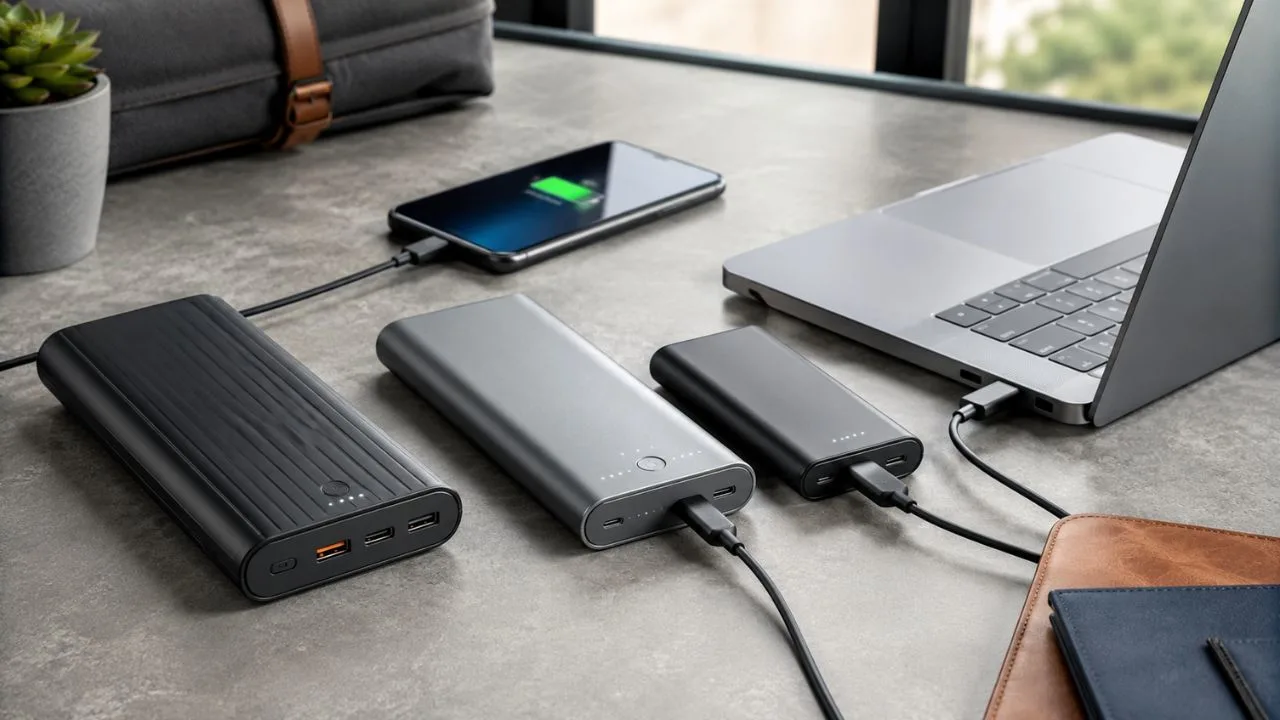

Best Portable Chargers for Phones and Laptops For Students
A reliable portable charger can keep your phone working through a long travel day, prevent a laptop from shutting down during an important meeting and provide emergency power when no wall socket is available. However, the best power bank for a phone is not automatically suitable for a laptop, because the two devices can require very different output levels.
Modern portable chargers vary significantly in capacity, charging speed, size, port selection and safety features. A compact 10,000mAh model may provide enough power for daily phone use, while a laptop power bank usually needs a capacity closer to 20,000mAh or 25,000mAh and a much higher USB-C Power Delivery output.
The right choice depends on what you carry and how long you spend away from mains power. A student using a lightweight USB-C laptop may need only a dependable 65W battery pack, while a creative professional with a powerful MacBook Pro may benefit from 100W, 140W or even higher charging output.
This guide compares the best portable chargers for phones and laptops across several practical categories. It also explains battery capacity, USB-C PD, power sharing, airline rules, cable requirements and safety, helping you select a power bank that suits your devices rather than buying based only on the largest number printed on the box.
Key Takeaways
The Anker Laptop Power Bank 25K with 165W total output is the strongest all-round choice for many travellers because it combines high capacity, laptop-ready output and built-in USB-C cables. It can support demanding devices without requiring users to pack several separate charging accessories.
People needing maximum multi-device performance should consider a higher-output option such as the Anker Prime 27,650mAh 250W power bank. The UGREEN Nexode 25,000mAh 145W and Belkin UltraCharge Pro Laptop Power Bank 25K offer strong alternatives for users who value high-speed USB-C charging.
A 10,000mAh portable phone charger is usually easier to carry every day, while capacities between 20,000mAh and 27,650mAh are more appropriate for laptops and long trips. Capacity alone is not enough, because the power bank must also provide the wattage and charging protocol required by the connected device.
Power banks should be carried in hand luggage when flying and generally need a rating of no more than 100Wh to travel without airline approval. Airline policies can be stricter, so travellers should check the carrier’s current rules and confirm that the watt-hour rating is clearly printed on the charger.
How We Selected the Best Portable Chargers
The most important requirement was useful USB-C output rather than an exaggerated total wattage figure. Each laptop-focused recommendation can provide at least 65W through an appropriate USB-C connection, while the high-performance models can deliver 100W or more to compatible laptops.
Capacity was also considered because a high-output charger is less useful when its battery is too small to provide meaningful extra runtime. Models around 20,000mAh work well for lighter laptops and several phone charges, while 25,000mAh options provide greater flexibility for travel and multi-device use.
Portability, integrated cables, display quality and port selection influenced the recommendations. A larger power bank may provide more energy, but it can become inconvenient when carried every day. The best design balances battery capacity with a shape and weight that suit its intended use.
Finally, the selected brands provide clear specifications, safety information and customer support. Portable chargers contain high-density lithium-ion batteries, so reliability matters more than saving a small amount on an unknown product with unclear capacity, poor heat management or misleading output claims.
Best Portable Chargers at a Glance
The Anker Laptop Power Bank 25K, 165W is the best overall option for people who regularly charge both a phone and USB-C laptop. Its large capacity and built-in retractable cable create a practical combination for business travel, university and mobile work.
The UGREEN Nexode 25,000mAh 145W is a strong value-focused laptop charger, while the Belkin UltraCharge Pro Laptop Power Bank 25K is a polished premium alternative with an integrated high-output USB-C cable. Both are suitable for phones, tablets and demanding USB-C laptops.
The Anker Prime 27,650mAh 250W is the best high-performance choice when several devices need power together. The Baseus Blade HD 20,000mAh 100W is better for users who want a slim power bank that lies flat beside a laptop inside a backpack.
For lighter devices, the Belkin BoostCharge Pro 20K 65W provides enough output for many ultrabooks without the size or cost of a 140W model. The Anker Nano 10K 45W is the best compact everyday pick for phones, tablets and smaller USB-C devices.
Best Overall: Anker Laptop Power Bank 25K, 165W
The Anker Laptop Power Bank 25K is the most balanced recommendation for users who want one portable charger for a phone, tablet and laptop. Its 25,000mAh capacity provides considerably more usable energy than a pocket-sized phone charger while remaining below the common 100Wh air-travel threshold.
Its main advantage is convenience. The power bank includes built-in USB-C cables, including a retractable cable that reduces the need to carry a separate lead. This is particularly valuable during travel, when forgetting or damaging one cable can make an otherwise powerful battery pack unusable.
The charger offers up to 165W of total output and can provide up to 100W through a compatible USB-C connection. That level is suitable for many MacBook, Dell XPS, HP, Lenovo, iPad and other USB-C devices, although actual charging speed depends on the laptop’s supported input.
This model is not the lightest choice for someone who only needs an emergency phone top-up. It is better suited to commuters, students and professionals who regularly carry a laptop and want a practical balance of high capacity, output power and cable management.
Best Premium Pick: Belkin UltraCharge Pro Laptop Power Bank 25K
The Belkin UltraCharge Pro Laptop Power Bank 25K is a premium alternative designed for users who value a clean design, an integrated cable and strong laptop charging performance. Its 25,000mAh capacity makes it suitable for long journeys, remote work and busy days with several connected devices.
The integrated braided USB-C cable can supply up to 140W to a compatible laptop. That output is enough for many high-performance USB-C notebooks, provided the device and charging cable support the necessary USB Power Delivery profile.
Additional USB-C and USB-A connections allow users to charge more than one device, although the available power is divided when multiple ports are active. Its digital display helps users understand the remaining battery level more precisely than a basic row of indicator lights.
Belkin is a sensible choice for buyers who prioritise warranty support and clearly documented compatibility. The model costs more than many basic power banks, but the combination of high output, an integrated cable and established support can justify the difference for frequent travellers.
Best Value Laptop Power Bank: UGREEN Nexode 25,000mAh 145W
The UGREEN Nexode 25,000mAh 145W power bank provides a strong combination of capacity and charging performance. It is designed for people who need a high-output USB-C power bank but do not necessarily want to pay for the most advanced premium model available.
Its primary USB-C connection can supply up to 140W to compatible equipment, while the total advertised output reaches 145W. This makes it suitable for many MacBook Pro models, Windows ultrabooks, tablets, phones and handheld gaming devices.
The 25,000mAh capacity provides enough stored energy for several phone charges or a meaningful laptop recharge. It is particularly useful on long flights, train journeys, conferences and workdays when access to a wall outlet cannot be guaranteed.
The main limitation is size. Like most 25,000mAh laptop batteries, it is noticeably heavier than a compact phone charger. Buyers should choose it for high capacity and performance rather than expecting something that will disappear comfortably into a trouser pocket.
Best for Multiple High-Power Devices: Anker Prime 27,650mAh 250W
The Anker Prime 27,650mAh 250W is designed for users who need to charge several demanding devices simultaneously. Its combined output is far higher than that of a typical phone power bank, making it suitable for professionals carrying laptops, tablets, phones and other USB-C equipment.
It includes two USB-C ports and one USB-A port, with support for USB Power Delivery 3.1. A compatible laptop can receive very high power from a single USB-C port, while the remaining connections can supply another laptop, tablet or phone.
Despite its high capacity, the battery is rated just below 100Wh, which makes it more travel-friendly than many larger portable power stations. Its compact upright shape also occupies less desk space than some flat laptop battery packs.
The increased performance comes with additional weight and cost. This is more power than most phone owners need, and a lightweight ultrabook user may receive better value from a 65W or 100W alternative. It makes the most sense for people who understand that they will use its multi-device capability.
Best Slim Laptop Power Bank: Baseus Blade HD 20,000mAh 100W
The Baseus Blade HD stands out because of its thin, flat design. Rather than using a thick rectangular shape, it resembles a compact tablet and can slide beside a laptop inside many backpacks, briefcases and protective sleeves.
Its 20,000mAh capacity is smaller than the 25,000mAh premium picks but remains sufficient for several phone recharges or a useful laptop top-up. A maximum 100W USB-C output supports many modern laptops, including devices that charge comfortably at 65W or 100W.
The power bank includes two USB-C and two USB-A ports, allowing up to four devices to be connected. The total power is shared when several ports are used, so users should connect the laptop to the highest-output USB-C port and avoid unnecessary devices when maximum speed is required.
This model is best for travellers who care more about a flat profile than maximum capacity. It can fit neatly into a laptop compartment, although its broad shape may be less convenient in a small handbag or narrow side pocket.
Best 65W Option: Belkin BoostCharge Pro 3-Port Laptop Power Bank 20K
The Belkin BoostCharge Pro 20K is a practical choice for lightweight USB-C laptops that do not require 100W or 140W charging. Its 65W single-port output is suitable for many MacBook Air, Dell XPS 13, Chromebook, Surface and similar ultrabook models.
The charger includes two USB-C ports and one USB-A port, making it useful for people who still carry an older cable or accessory. It can charge three devices together, although the 65W total output will be divided across the active connections.
Its 20,000mAh capacity creates a reasonable balance between runtime and portability. It will not provide the same laptop endurance as a 25,000mAh model, but it is easier to justify for users who mainly need emergency backup rather than an entire day of off-grid work.
This charger is less suitable for large workstations and gaming laptops that need more than 65W to maintain performance. Some high-powered computers may charge slowly, display a low-power warning or continue losing battery while running demanding applications.
Best Compact Phone Charger: Anker Nano 10K, 45W
The Anker Nano 10K is a better everyday choice for users who mainly need to charge a phone. Its 10,000mAh capacity is easier to carry than a laptop-class power bank and can provide multiple top-ups depending on the phone’s battery size and charging losses.
A 45W USB-C output supports fast charging for many modern Android phones, iPhones, tablets and smaller devices. The integrated retractable USB-C cable also reduces bag clutter and makes it easier to begin charging without searching for an additional lead.
Although it may provide some power to small laptops that accept low-wattage USB-C input, it should not be considered a primary laptop charger. Its capacity and output are designed for portability, phones and lighter electronics rather than sustained notebook use.
This is the most appropriate pick for commuting, festivals, shopping days and everyday emergencies. People who carry only a phone and earbuds do not need the weight of a 20,000mAh or 25,000mAh power bank simply because the larger model has more impressive specifications.
How Much Power Bank Capacity Do You Need?
A 5,000mAh portable charger is mainly suitable for emergency phone use. It can provide a useful top-up but may not fully recharge a modern high-capacity smartphone after conversion losses are considered. Its main advantage is a compact and lightweight design.
A 10,000mAh power bank is the best everyday size for most phone owners. It commonly provides around one and a half to two practical phone charges, depending on the handset, cable, charging efficiency and condition of both batteries.
A 20,000mAh model is more suitable for weekends away, several mobile devices and partial laptop charging. It is heavier but gives users greater confidence when they need to power a phone, tablet, headphones and lightweight notebook during the same trip.
Capacities from 25,000mAh to approximately 27,650mAh are ideal for laptop users who travel frequently. These products approach the common 100Wh airline limit and provide the greatest practical capacity available without entering a category that may require airline approval.
Understanding mAh and Wh
Milliamp-hours, written as mAh, describe battery capacity at a particular voltage. Manufacturers frequently use this number because it is familiar and easy to compare, but it does not directly reveal how many complete charges a device will receive.
Watt-hours, written as Wh, describe stored energy more clearly and are used by airlines when applying battery restrictions. Two power banks with similar mAh ratings can have slightly different watt-hour values depending on their nominal cell voltage.
The labelled capacity does not equal the exact energy delivered to a phone or laptop. Voltage conversion, cable resistance, heat and the power bank’s own electronics consume part of the stored energy during charging.
Buyers should therefore treat claimed recharge counts as estimates rather than guarantees. Screen use, background applications, battery age, ambient temperature and charging speed all affect how much additional runtime a portable battery provides.
How Many Watts Should a Portable Charger Have?
Phones generally need much less power than laptops. A 20W or 30W USB-C power bank is adequate for many smartphones, while 45W gives broader support for fast-charging Android phones, tablets and small USB-C devices.
A lightweight laptop commonly works well with a 45W or 65W USB-C charger. However, charging may slow when the computer is under heavy load, and some laptops require at least 65W before recognising the connected source as a proper charger.
A 100W power bank is a safer all-round choice for MacBook Pro models, business laptops and larger tablets. It offers enough headroom for many devices while remaining more affordable and portable than the highest-output 140W or 250W products.
A 140W USB PD 3.1 power bank is appropriate for demanding USB-C laptops that support high charging speeds. Total output figures above 140W usually describe power shared across multiple ports rather than a single device receiving the entire advertised number.
Why USB-C Power Delivery Matters
USB Power Delivery, commonly shortened to USB-C PD, allows the charger and connected device to negotiate an appropriate voltage and current. This enables one power bank to charge small accessories, phones, tablets and compatible laptops safely.
A high-capacity battery without USB-C PD may still charge a phone, but it is unlikely to provide the voltage required by a laptop. Buyers should look for a clearly stated single-port USB-C output rather than relying only on capacity or the phrase “fast charging.”
USB PD 3.1 supports higher output levels, including 140W charging through an appropriate Extended Power Range connection. The power bank, device and USB-C cable must all support the required standard before the highest speed becomes available.
PPS, or Programmable Power Supply, is another useful feature for compatible Android phones, particularly selected Samsung models. It adjusts voltage more precisely and may allow the phone to use its supported fast-charging mode more efficiently.
Check Single-Port Output, Not Just Total Output
Manufacturers often place the combined output in the most prominent position on the product page. A charger described as 165W may provide a maximum of 100W through one port, with the remaining power reserved for another connection.
This is not misleading when the allocation is explained clearly, but buyers can misunderstand what their laptop will receive. A 200W total power bank cannot necessarily charge one laptop at 200W, because the individual USB-C port may be limited to 100W or 140W.
Power allocation can also change when another device is connected. A laptop receiving 100W may drop to 65W when a phone is added, depending on the power bank’s distribution rules and the ports being used.
Review the manufacturer’s charging diagram before buying. It should show the output available from each port alone and the combinations used when two or three devices are connected simultaneously.
Choose the Correct USB-C Cable
The cable can limit charging speed even when the power bank and laptop support high output. A basic USB-C cable may be limited to 60W, preventing a 100W or 140W power bank from delivering its full capability.
For charging up to 100W, use an appropriate 5A USB-C cable with electronic marking. For 140W USB PD 3.1 charging, choose a certified cable rated for up to 240W Extended Power Range.
Built-in cables reduce this uncertainty because the manufacturer designs them for the power bank’s intended output. However, an integrated cable can become a weakness if it is damaged and cannot be replaced easily.
Users carrying a separate lead should choose a durable, clearly rated cable and store it carefully. Extremely cheap unmarked cables can cause slow charging, unreliable connections or excessive heat, particularly when used with high-power laptops.
Can a Portable Charger Fully Charge a Laptop?
A 25,000mAh laptop power bank can often provide one substantial recharge for a lightweight notebook, but the exact result depends on the laptop battery’s watt-hour capacity. A smaller MacBook Air requires less energy than a large workstation or gaming computer.
Conversion losses reduce the amount of labelled energy that reaches the laptop. A power bank rated near 92Wh cannot deliver every one of those watt-hours to the computer because some energy is lost while changing voltage and managing heat.
Using the laptop during charging also affects the result. Video editing, gaming and other demanding tasks may consume power as quickly as the battery pack provides it, leaving less energy available to increase the laptop’s battery percentage.
For the best result, lower screen brightness, close unnecessary applications and allow the laptop to sleep while charging. A portable charger is most effective as a runtime extender and emergency power source rather than a permanent substitute for a wall charger.
Phone Charging Speed and Compatibility
A high-wattage laptop power bank will not force excessive power into a phone. USB-C charging systems negotiate the amount the handset accepts, so a phone designed for 25W will draw only the supported level from a 100W source.
Fast-charging performance still depends on protocol compatibility. iPhones use USB Power Delivery, while some Android phones rely on PPS or manufacturer-specific charging technology to reach their highest advertised speed.
A universal PD power bank may charge a proprietary device safely but more slowly than the brand’s dedicated charger. Buyers should check whether their phone requires PPS, Quick Charge or another protocol before expecting maximum performance.
Heat can also reduce charging speed. Phones and power banks may temporarily lower output in hot environments or during heavy use, protecting the batteries even when the charger is technically capable of delivering more power.
Should You Buy a Wireless or Magnetic Power Bank?
Magnetic wireless power banks are convenient for compatible phones because they attach without a cable. Qi2 models can provide better alignment and faster wireless performance than older basic magnetic chargers.
Wireless charging is generally less efficient than using USB-C. More energy is lost as heat, meaning a 10,000mAh wireless battery may provide fewer practical phone recharges than a wired model with the same labelled capacity.
A magnetic charger is therefore best for convenience rather than maximum endurance. It works well during commuting, social events and light daily use when the ability to attach and continue using the phone matters more than energy efficiency.
Laptop users should choose a wired USB-C PD power bank. Wireless models do not provide the output needed by notebook computers and may add weight without contributing to the main charging requirement.
Portable Charger Rules for Air Travel
Power banks are treated as spare lithium batteries and should be carried in hand luggage rather than checked baggage. If cabin luggage is taken at the gate and placed in the aircraft hold, the power bank should be removed first.
Batteries up to 100Wh are generally permitted in carry-on baggage without specific airline approval. Products rated between 100Wh and 160Wh may require permission, while larger batteries are normally prohibited on passenger aircraft.
Most 20,000mAh and 25,000mAh consumer power banks remain below 100Wh. Some 27,000mAh-class models are deliberately designed to sit just under the limit, but travellers should confirm the printed watt-hour rating rather than estimating from the marketing name.
Individual airlines may restrict the number of power banks, their storage location or whether they can be used during the flight. Check the airline’s current rules before travelling and never take a swollen, damaged or recalled battery onto an aircraft.
Portable Charger Safety Features to Look For
A good power bank should provide protection against overcharging, excessive current, short circuits and overheating. Temperature monitoring is particularly important in high-output laptop models because rapid charging naturally generates more heat.
Buy from a reputable manufacturer that supplies clear electrical specifications, a warranty and contactable support. Avoid products that claim impossible capacity or charging speed without explaining port-level output, watt-hour rating and supported protocols.
Inspect the battery regularly for swelling, cracking, unusual odours or excessive heat. Stop using it immediately when the casing changes shape, the ports become damaged or the power bank grows unusually hot during ordinary charging.
Keep the charger away from direct sunlight, water and very hot vehicles. Do not cover it with bedding while charging, and use a wall charger and cable that match the recommended input specifications.
How Fast Should the Power Bank Recharge?
A portable charger’s input wattage determines how quickly its own battery can be refilled. A high-output model that accepts only 18W input may take many hours to recharge, even though it can charge a laptop rapidly.
Premium laptop power banks often accept 65W, 100W or higher USB-C input. They can recover much faster when connected to a suitable USB-C wall charger, reducing the time users must wait before travelling again.
The wall adapter is not always included. A buyer may purchase a 140W power bank and then discover that an old 20W phone charger needs most of the day to refill it.
Check both the maximum input and the accessories in the box. Budget for an appropriate USB-C wall charger when the power bank does not include one, and use a cable rated for the required input power.
How to Make a Power Bank Last Longer
Avoid repeatedly leaving the power bank completely empty for long periods. Recharge it after use and check the battery every few months when it is stored, because lithium-ion cells gradually discharge even when disconnected.
Extreme heat is one of the greatest threats to battery lifespan. Do not leave the charger inside a parked car, beside a heater or in direct summer sunlight, particularly while it is charging another device.
Use the power bank within the manufacturer’s recommended temperature range. Charging may slow in very cold or hot conditions because the internal system is protecting the battery from damage.
Normal capacity decline will occur over time. When the power bank provides dramatically less energy, disconnects unexpectedly or develops physical damage, replace it rather than continuing to rely on an ageing battery.
Common Portable Charger Buying Mistakes
The first common mistake is choosing capacity without checking output. A 30,000mAh battery with only basic USB-A charging may hold plenty of energy but remain unsuitable for a laptop requiring USB-C Power Delivery.
Another mistake is assuming total wattage equals single-port wattage. Always confirm how much power the primary USB-C port can deliver when used alone and when other devices are connected.
Buyers also overlook weight and dimensions. A powerful 25,000mAh charger may appear compact in photographs but feel heavy when carried every day alongside a laptop, cables and other travel equipment.
Finally, people sometimes choose unknown brands based on unrealistic claims and unusually low prices. Battery quality, heat protection and accurate capacity are more important than saving money on a product that could fail when it is needed most.
Which Portable Charger Should You Buy?
Choose the Anker Laptop Power Bank 25K, 165W when you want the best overall balance for a phone and laptop. Its built-in cables and high capacity make it particularly convenient for frequent travel and mobile work.
Choose the UGREEN Nexode 25K 145W for strong laptop performance and value, or the Belkin UltraCharge Pro 25K when you prefer a polished premium design with an integrated 140W cable.
Choose the Anker Prime 27,650mAh 250W when several high-power devices must be charged together. Select the Baseus Blade HD 20K 100W when a slim, backpack-friendly shape matters more than maximum capacity.
For lighter needs, choose the Belkin BoostCharge Pro 20K 65W for an ultrabook or the Anker Nano 10K 45W for phones and tablets. Buying the smallest model that reliably meets your needs will usually provide the best everyday experience.
Frequently Asked Questions
What size power bank is best for both a phone and laptop?
A capacity between 20,000mAh and 25,000mAh is suitable for most users. Choose at least 65W USB-C output for an ultrabook or 100W to 140W for more demanding laptops.
Can a 20,000mAh power bank charge a laptop?
Yes, when it supports the correct USB-C Power Delivery output. It may provide a full charge for some small laptops or a partial recharge for models with larger batteries.
Is a 100W power bank safe for a phone?
Yes, a compatible phone requests only the power it can safely accept. The charger does not continuously force its full 100W output into every connected device.
Can I take a 25,000mAh power bank on a plane?
Most 25,000mAh power banks are below 100Wh and are generally allowed in hand luggage. Check the printed Wh rating and the airline’s latest policy before travelling.
Is a wireless power bank better than a wired one?
Wireless charging is more convenient but less energy-efficient and usually slower. A wired USB-C PD power bank is better for laptops, fast phone charging and maximum usable capacity.



