
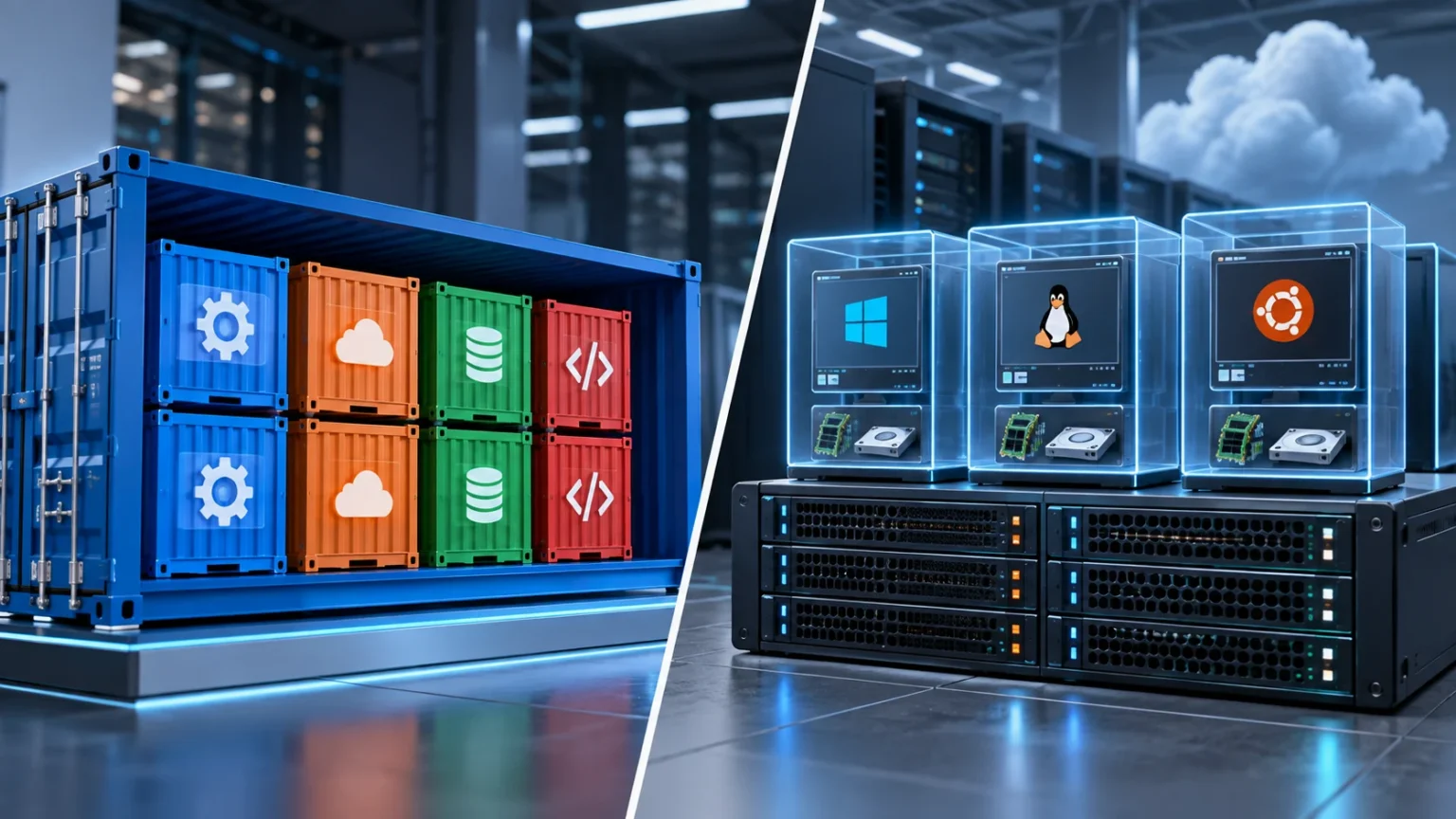

Containers and virtual machines are two popular technologies used to run applications in isolated computing environments. Both help businesses improve infrastructure efficiency, simplify deployment, and reduce dependence on dedicated physical servers. However, they achieve isolation in very different ways, which affects performance, portability, security, resource usage, and how applications are managed.
Understanding containers vs virtual machines is especially important for developers, DevOps teams, system administrators, and businesses moving applications to the cloud. Virtual machines provide complete operating systems, while containers share parts of the host operating system. Choosing between them depends on workload requirements, technical control, scalability needs, and application architecture.
What Are Containers?
Containers are lightweight software environments that package an application together with the libraries, dependencies, and configuration files it needs to run. Instead of including an entire operating system, containers share the operating system kernel of the host machine. This approach allows multiple containers to operate independently while consuming fewer resources than traditional virtual machines.
A container image acts as a reusable template containing everything required to launch the application. Developers can create an image once and deploy it across compatible environments without repeatedly rebuilding the application setup. This portability helps reduce situations where software works correctly during development but behaves differently after deployment.
Containers are commonly used for web applications, APIs, microservices, background processes, and cloud-native software. Technologies such as Docker popularized container-based development, while orchestration platforms help manage large numbers of containers. Their relatively small size and fast startup times make them particularly useful for applications that need to scale quickly.
What Are Virtual Machines?
A virtual machine, or VM, is a software-based computer that runs inside a physical computer or cloud server. Each VM includes its own operating system, applications, libraries, and virtualized hardware resources. This gives the virtual machine an environment that behaves much like an independent physical computer.
A virtualization layer called a hypervisor allows multiple virtual machines to operate on the same physical server. The hypervisor distributes processing power, memory, storage, and other resources between the VMs. Each virtual machine remains separated from the others, even though they share the underlying physical hardware.
Virtual machines are commonly used for enterprise software, legacy applications, testing environments, cloud servers, and workloads requiring complete operating system control. Because each VM includes its own operating system, teams can run different operating systems on the same host. This level of isolation and flexibility remains valuable for many business applications.
Containers vs Virtual Machines: The Main Difference
The biggest difference between containers and virtual machines is how they use operating systems. A virtual machine contains a complete guest operating system, while containers generally share the kernel of the host operating system. This architectural difference significantly affects resource consumption, startup speed, portability, and infrastructure density.
Because containers do not need to boot an entire operating system, they can usually start much faster than virtual machines. They also consume less memory and storage in many situations. This allows organizations to run larger numbers of containers on the same hardware compared with fully independent virtual machines.
Virtual machines provide stronger separation because each workload operates inside its own operating system environment. Containers provide process-level isolation while sharing more underlying infrastructure. Neither approach is automatically superior, since the correct choice depends on how much isolation, control, performance, and portability the application requires.
Architecture Differences Between Containers and VMs
A virtual machine architecture typically begins with physical hardware and a hypervisor. Several VMs can then run above that layer, with each one containing a guest operating system, system libraries, and applications. This structure provides substantial independence but also requires additional computing resources for every operating system instance.
Container architecture usually begins with a physical or virtual host running an operating system and container runtime. Individual containers sit above this environment and share the host kernel while keeping applications and dependencies isolated. Because containers avoid duplicating complete operating systems, they can provide a more lightweight application deployment model.
These architectural differences influence how developers design infrastructure. Virtual machines resemble separate computers, making them familiar to traditional system administrators. Containers focus more directly on packaging and running individual applications or services, which fits naturally with modern DevOps, microservices, automated deployment, and cloud-native development practices.
Performance and Resource Usage
Containers usually require fewer system resources because they do not contain separate operating systems. Multiple containers can share the same host while using memory and processing power primarily for their applications. This efficiency allows organizations to achieve higher workload density when applications can safely share the same underlying operating system kernel.
Virtual machines consume additional resources because each VM runs its own operating system. Memory must be allocated for the guest OS, and storage is required for operating system files in addition to application data. This overhead may be acceptable when greater isolation or specialized operating system configurations are more important than maximum infrastructure efficiency.
Performance differences also depend on the workload. Containers often perform close to the host environment because there is less virtualization overhead between applications and system resources. Modern virtual machines can still provide excellent performance, particularly when cloud platforms and hypervisors are configured correctly for the application.
Startup Speed and Scalability
Container startup times are generally very fast because the environment does not need to boot a complete operating system. A container can often start within seconds or less, depending on the application. This speed makes containers useful when infrastructure needs to expand or contract rapidly in response to changing workloads.
Virtual machines usually take longer to start because they must initialize an operating system and related services. This does not prevent VMs from scaling, but the process generally requires more time and resources. Cloud providers can automate VM scaling, although it may not feel as immediate as starting additional containers.
Containers are particularly useful for applications experiencing unpredictable traffic or short-lived workloads. They can complement technologies such as serverless computing when teams want rapid scaling without managing large numbers of traditional servers. The appropriate model depends on how much infrastructure control the application requires.
Portability and Application Deployment
Portability is one of the strongest advantages of containers. Developers can package an application and its dependencies into a container image and run that image across compatible environments. This makes it easier to move applications between laptops, testing systems, data centers, and cloud environments without repeatedly rebuilding configurations.
Virtual machines can also be moved between environments, but their images are generally much larger because they include entire operating systems. Migrating VMs may require more storage, bandwidth, and preparation. Compatibility with hypervisors, cloud platforms, and networking configurations can also influence how easily a virtual machine can be transferred.
Containers are therefore popular in continuous integration and continuous deployment pipelines. Developers can build and test the same container image before moving it into production. Using a consistent package reduces configuration differences and can make application releases more predictable across different stages of development.
Security and Isolation
Virtual machines provide strong workload isolation because each VM runs a separate operating system. If one virtual machine is compromised, the attacker must cross additional virtualization boundaries to affect another VM. This separation can make virtual machines attractive for sensitive workloads or environments where strict isolation is an important requirement.
Containers are isolated from each other, but they share the underlying host operating system kernel. A serious kernel vulnerability or incorrect container configuration could potentially affect multiple workloads. Organizations therefore need strong access controls, secure images, runtime protection, network policies, and regular updates when operating container environments.
Container security has improved significantly through technologies such as namespaces, resource controls, image scanning, and orchestration security features. However, businesses should choose architecture according to risk rather than assuming containers or VMs are automatically secure. Configuration quality and ongoing security management matter in both environments.
Containers vs VMs for Development Teams
Containers can simplify development by allowing teams to create consistent application environments. Developers can define dependencies once and distribute the same container configuration across team members. This reduces compatibility issues caused by different programming language versions, libraries, operating system packages, or configuration settings on individual computers.
Virtual machines are useful when developers need complete operating systems for testing. A team might create separate VMs for different operating systems, older software versions, or complex enterprise environments. This level of control can be particularly useful when applications depend on system-level settings that cannot easily be reproduced inside a container.
Many development teams use both technologies. A developer might run several containers inside a virtual machine, gaining the isolation of a VM while maintaining the flexibility of containerized applications. Combining technologies allows organizations to choose the right level of abstraction for different stages of application development and deployment.
Containers vs VMs for Microservices
Containers are closely associated with microservices because each service can be packaged and deployed independently. A large application may be divided into smaller services responsible for authentication, payments, search, inventory, or other functions. Each service can run inside its own container and scale independently according to demand.
Virtual machines can also host microservices, but creating a separate VM for every small service can consume more resources. Multiple services may therefore share one VM, which reduces some of the independence microservices are intended to provide. Containers offer a more lightweight way to isolate each service without running separate operating systems.
Container orchestration platforms can automate deployment, scaling, networking, and recovery across large microservice environments. However, microservices introduce their own complexity, including service communication, monitoring, and distributed data management. Containers make deployment easier, but they do not automatically make a poorly designed application architecture simple.
Management and Orchestration
Virtual machine management tools allow administrators to create, monitor, resize, back up, and remove VMs. Cloud platforms provide dashboards and automation technologies that simplify these tasks across large environments. System administrators can also use traditional operating system management techniques because every VM behaves similarly to an independent server.
Container management becomes more challenging when organizations operate hundreds or thousands of individual containers. Orchestration platforms help automate scheduling, scaling, networking, updates, health checks, and recovery. These systems can restart failed containers and move workloads between available hosts without requiring constant manual intervention.
The management approach therefore differs considerably. VM environments often focus on managing servers, while container platforms focus on managing applications and services. Businesses moving toward containers may need new DevOps skills, monitoring tools, automation practices, and infrastructure knowledge to manage these environments effectively.
Cost Differences Between Containers and Virtual Machines
Containers can improve infrastructure efficiency because more workloads may fit on the same physical or virtual server. Businesses can reduce wasted computing capacity when applications use relatively small amounts of memory and processing power. This efficiency may lower infrastructure costs when workloads are designed and managed appropriately.
Virtual machines require more resources, but they can still provide excellent economic value. Cloud providers allow businesses to rent VMs according to their required size and duration instead of purchasing physical servers. Reserved pricing, automatic scaling, and careful resource management can also help reduce the cost of VM-based infrastructure.
Costs should never be compared entirely according to computing resources. Businesses must also consider management tools, employee expertise, security, monitoring, orchestration, and operational complexity. A technically efficient container environment may still become expensive if the organization requires extensive new tooling and specialist skills to operate it correctly.
When Should You Use Containers?
Containers are well suited to modern applications that need portability, rapid deployment, efficient scaling, and consistent environments. Web services, APIs, background workers, microservices, and cloud-native applications often benefit from containerization. Development teams can release updates frequently without rebuilding entire server environments for every change.
They are also useful when businesses operate applications across multiple environments. A container image can move from development to testing and production while maintaining similar dependencies. This consistency helps organizations automate software delivery and reduces configuration differences that can otherwise create unexpected deployment problems.
Containers may be less appropriate when applications require complete operating system control or strong separation from other workloads. Legacy software may also depend on configurations that are difficult to containerize. Businesses should evaluate the application architecture before assuming every workload needs to move into containers.
When Should You Use Virtual Machines?
Virtual machines are a strong choice when applications require full operating system environments. Organizations can install specialized system software, configure operating system settings, and run workloads that depend on traditional server architecture. This makes VMs particularly useful for legacy systems, enterprise applications, and software that was not designed for containers.
VMs are also appropriate when strong workload isolation is a priority. Different operating systems and applications can run on the same physical hardware without sharing the same guest operating system kernel. Organizations can create clear boundaries between environments while still gaining the efficiency benefits of hardware virtualization.
Virtual machines remain widely used in cloud computing and are unlikely to disappear because containers have become popular. Many container platforms themselves run on virtual machines. The technologies frequently complement one another, allowing businesses to combine VM isolation with container-based application deployment.
Conclusion
Containers and virtual machines both provide isolated environments for running applications, but their architecture is fundamentally different. Virtual machines include complete operating systems, while containers share the host operating system kernel. This makes containers lighter and faster, while VMs generally provide greater operating system independence and stronger isolation.
Containers are particularly effective for cloud-native applications, microservices, DevOps pipelines, and workloads requiring rapid scaling. Virtual machines remain valuable for legacy applications, specialized operating systems, and workloads requiring greater infrastructure control. Businesses often use both technologies rather than attempting to replace one completely with the other.
The right choice depends on application requirements, security needs, infrastructure skills, deployment frequency, and operational complexity. Teams should evaluate the workload instead of choosing based entirely on technology trends. A well-designed infrastructure can combine containers and virtual machines to achieve flexibility, efficiency, security, and reliable application performance.
FAQs
Are containers better than virtual machines?
Containers are not universally better. They offer faster startup, portability, and efficient resource usage, while virtual machines provide stronger isolation and greater control over complete operating system environments.
Can containers run inside virtual machines?
Yes. Containers commonly run inside virtual machines, especially in cloud environments. This approach combines VM-level infrastructure isolation with the lightweight deployment and scalability benefits of containerized applications.
Are containers faster than virtual machines?
Containers usually start faster because they share the host operating system instead of booting a complete guest OS. Actual application performance still depends on workload design, infrastructure, and resource availability.
Which is more secure, containers or virtual machines?
Virtual machines generally provide stronger isolation because each VM has its own operating system. Containers can still be secure when properly configured with strong permissions, updated images, runtime controls, and appropriate network policies.
Should small businesses use containers or virtual machines?
It depends on technical requirements and available expertise. Virtual machines may be easier for traditional workloads, while containers can benefit businesses developing modern applications that require portability, frequent updates, and flexible scaling.



