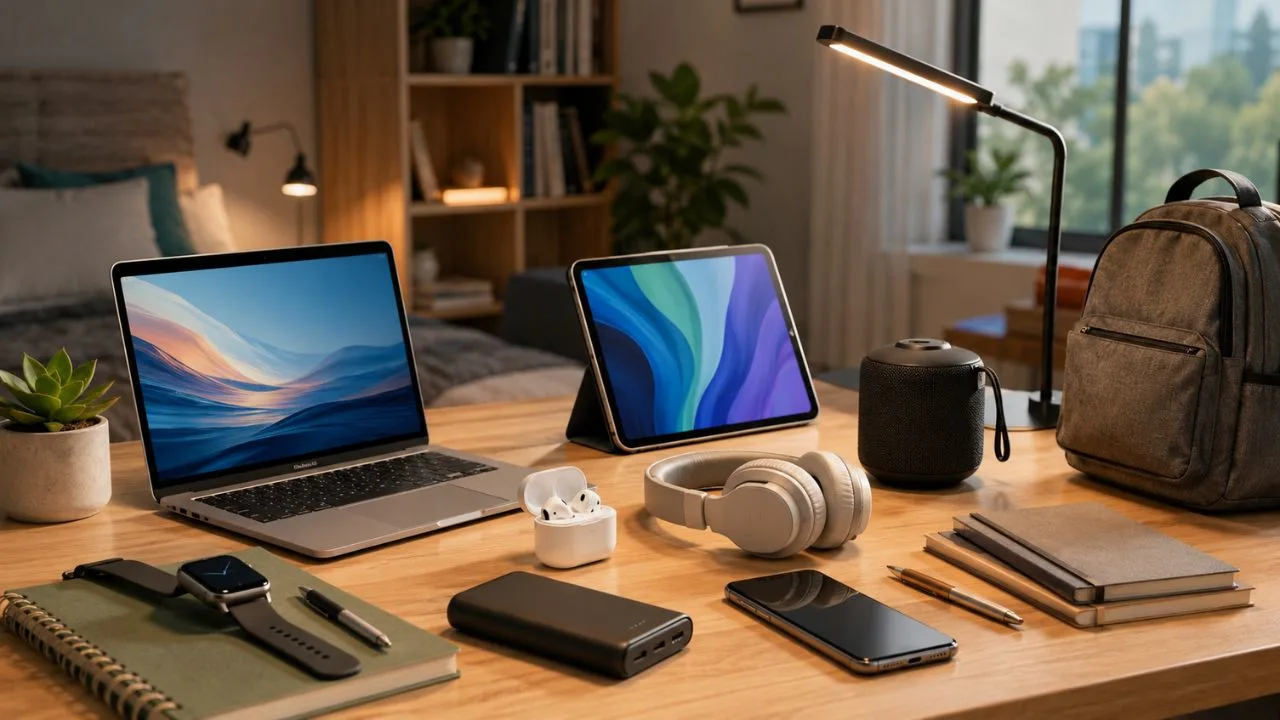

Choosing a technology gift for a student can be difficult because the most exciting device is not always the most useful one. Students already carry phones, laptops and chargers between classrooms, libraries, accommodation and part-time jobs. A successful gift should make studying easier without adding unnecessary weight, complexity or distraction.
The best student gadgets solve common problems such as limited battery life, noisy study spaces, insufficient storage and uncomfortable desk setups. They may help a student organise notes, join online classes, protect important assignments or work more comfortably away from home. Practical value is usually more important than novelty.
Compatibility also matters. An accessory designed for one operating system, tablet generation or charging standard may be useless with the student’s existing equipment. Before buying, check the devices they already own, the software required by their course and any restrictions imposed by their school, college or university.
This guide covers the best technology gifts for students across different budgets and study needs. It includes tablets, e-readers, noise-cancelling headphones, portable storage, power banks, webcams and productivity accessories. Each recommendation is chosen for a particular type of student rather than being presented as suitable for everyone.
Key Takeaways
The iPad Air with M4 is the strongest premium all-round gift for a student who wants digital notes, reading, creative applications and entertainment in one portable device. It becomes more useful when paired with a compatible Apple Pencil, although the complete setup represents a significant investment.
Students who already own a suitable laptop may benefit more from an accessory. Noise-cancelling headphones, a portable SSD, a laptop power bank or a wireless keyboard and mouse can improve the equipment they use every day without requiring them to move files and applications to another platform.
Less expensive technology gifts can still provide lasting value. A compact USB-C charger, item tracker or webcam may be used several times every week. Small practical accessories are often safer choices when you do not know the student’s preferred laptop, tablet ecosystem or study applications.
Always check compatibility, course requirements and return policies before purchasing. A graphing calculator may be valuable for one mathematics student but prohibited in another examination. Similarly, an AirTag works most naturally within Apple’s ecosystem, while some laptops cannot send video to every USB-C portable monitor.
How We Chose the Best Student Technology Gifts
Each recommendation addresses a realistic student need rather than existing only as an entertaining gadget. The selected products support studying, reading, communication, organisation, storage or reliable access to power. A gift that saves time every week generally provides better value than one that feels impressive only when it is unboxed.
Portability was another important consideration. Students frequently move between home, campus, libraries and shared study spaces, so bulky accessories can remain unused. The ideal student technology gift should fit comfortably into a normal backpack and should not require several additional adapters or power supplies.
Compatibility and useful lifespan were also considered. Products using modern USB-C connections, Bluetooth or widely supported storage standards are easier to use with different devices. Established products with clear specifications and software support are generally safer gifts than unknown gadgets making exaggerated performance claims.
Price was considered in relation to the likely frequency of use. A premium tablet may be worthwhile for a design student who will use it daily, while an expensive webcam makes less sense for someone who rarely joins video calls. The best gift is the product that fits the recipient’s actual routine.
Best Overall: Apple iPad Air with M4
The iPad Air with M4 is a versatile premium gift for university and college students. It is available with an 11-inch or 13-inch display, allowing buyers to choose between easier portability and a larger working area. The M4 processor provides enough performance for demanding study and creative applications.
With a compatible Apple Pencil, the iPad Air can become a digital notebook for handwritten lecture notes, diagrams, PDF annotation and revision. Students can organise material by module without carrying several paper notebooks. Creative users can also sketch, edit photographs, produce presentations and work with video applications.
The iPad Air works best for students who already use Apple services or whose course software is available on iPadOS. A keyboard can make essay writing and email more comfortable, but accessories increase the total price considerably. It should not be purchased as a laptop replacement without checking the student’s specialist software requirements.
Choose the 11-inch model for students who prioritise portability and frequently carry their equipment around campus. The 13-inch version is better for split-screen work, drawing and reading detailed documents. Storage should also be considered carefully because course files, downloaded videos and creative projects can grow quickly.
Best for Reading: Amazon Kindle Paperwhite
The Kindle Paperwhite is a thoughtful technology gift for students who read novels, academic texts or long-form material regularly. Its 7-inch glare-free display is designed to remain readable in bright conditions, while the adjustable warm light can make evening reading more comfortable than a bright conventional screen.
Battery life is another major advantage. An e-reader can operate for weeks between charges under typical use, making it suitable for commuting and travel. It is also much lighter and less distracting than carrying a laptop or general-purpose tablet only to read a book.
Students can send supported documents and selected PDFs to a Kindle, although complex textbooks do not always display perfectly on the smaller screen. It works best for text-heavy reading rather than detailed diagrams, large tables or documents requiring frequent handwritten annotation.
The Kindle Paperwhite is particularly suitable for literature students, frequent travellers and anyone trying to reduce phone distractions. Before buying, confirm whether the student’s required books are available digitally and whether their university library supports a convenient e-book format for the device.
Best Headphones for Focus: Sony WH-1000XM6
The Sony WH-1000XM6 headphones are a premium gift for students who study in noisy accommodation, busy libraries or public transport. Effective active noise cancellation can reduce surrounding conversations and repetitive background sounds, making it easier to concentrate without increasing music volume excessively.
The over-ear design is suitable for long study sessions, while multipoint connectivity allows the headphones to remain connected to a laptop and phone. This is useful when a student needs to move between recorded lectures, music, calls and online seminars without repeatedly repairing the device.
Premium noise-cancelling headphones are not necessary for every student. Some people find over-ear models warm or uncomfortable, while others prefer to remain aware of their surroundings. The student should ideally try the fit, especially when they wear glasses or are sensitive to pressure around the head.
For a lower-cost alternative, consider the Soundcore Space One Pro. It offers active noise cancellation, a highly foldable design and long listening time. The Sony remains the more premium option, while the Soundcore model may provide stronger value for students with a limited gift budget.
Best Keyboard and Mouse Set: Logitech Pebble 2 Combo
The Logitech Pebble 2 Combo includes a slim wireless keyboard and compact mouse designed for portable workspaces. It is a useful gift for a student who often types on a tablet, places a laptop on a stand or wants a more comfortable setup in a small bedroom.
Multi-device Bluetooth connectivity allows the student to move between compatible computers and tablets. This can be helpful when they use a personal laptop alongside a university device. The compact shape also makes the set easier to store than a full-sized desktop keyboard and large mouse.
A separate keyboard can improve posture by allowing the laptop screen to be raised closer to eye level. However, the student will still need a stand or stack of sturdy books to position the screen properly. The compact layout may also feel unfamiliar to someone accustomed to a full numeric keypad.
This gift is most suitable for essay writing, research, coding and general productivity. Check the required keyboard layout before purchasing, particularly when the recipient needs UK-specific keys. Students who work mainly with spreadsheets may prefer a larger keyboard containing a dedicated number pad.
Best Portable Storage: Samsung T7 Shield SSD
The Samsung T7 Shield is a portable solid-state drive that gives students additional storage for assignments, photographs, video projects and backups. It is available in multiple capacities and is small enough to travel inside a laptop sleeve or organiser pocket.
The drive uses a USB 3.2 Gen 2 connection and can offer much faster transfers than a traditional portable hard drive when connected to compatible equipment. This is particularly useful for media, architecture and design students who work with large project folders.
A portable SSD should not become the only location where important work is stored. Students should keep another backup in secure cloud storage or on a separate drive. Losing one small SSD could otherwise mean losing an entire term of assignments and creative projects.
Before purchasing, check the student’s available ports and storage needs. A 1TB model is suitable for documents and moderate media libraries, while larger capacities may be justified for high-resolution video. Students using older computers may need an adapter and may not receive the drive’s maximum speed.
Best Power Bank: Anker Laptop Power Bank 25K
The Anker Laptop Power Bank with 25,000mAh capacity is designed for students who spend long days away from accessible wall sockets. Its USB-C connections can provide up to 100W individually, making it suitable for many modern laptops as well as phones, tablets and headphones.
Built-in cables reduce the chance that a student will carry the battery but forget the correct lead. The power bank can charge several devices, while its display provides clearer information about remaining energy than a simple collection of indicator lights.
Its main disadvantage is weight. At nearly 600 grams, it is considerably heavier than a compact phone power bank and may be unnecessary for students whose campus provides sockets at every desk. It is best suited to commuters, travellers and students attending long fieldwork or placement days.
Confirm that the student’s laptop supports USB-C charging and check its required wattage. Some gaming and engineering laptops need considerably more power than a portable battery can provide during demanding use. In those cases, the power bank may extend runtime without replacing the original charger.
Best Webcam for Online Classes: Logitech Brio 500
The Logitech Brio 500 is a practical gift for students who attend online seminars, remote interviews or collaborative meetings. It provides Full HD 1080p video and includes automatic light correction, helping the student appear clearer in bedrooms or shared spaces with imperfect lighting.
Its built-in microphones can improve communication compared with a weak laptop microphone. The webcam is also useful when the laptop must be positioned farther away on a stand, where its internal camera may create an unflattering angle or fail to frame the user properly.
A dedicated webcam will not solve every video-call problem. Internet quality, room lighting, background noise and microphone placement still affect the experience. Students who already own a recent laptop with an excellent integrated camera may gain little from the upgrade.
This gift makes the most sense for distance learners, tutors, placement applicants and students who frequently present online. A simple desk lamp and quiet background can improve results further. Check that the student has a suitable USB connection and permission to install any companion software.
Best for Multitasking: ASUS ZenScreen Portable Monitor
An ASUS ZenScreen portable monitor can provide a second display without requiring a permanent desktop setup. A student can keep research or reference material on one screen while writing an essay, coding or preparing a presentation on the other.
A 15.6-inch Full HD model offers substantially more working space than switching between windows on one laptop display. The monitor can be stored when not needed, making it suitable for small accommodation where a conventional desktop monitor would occupy too much space.
Compatibility must be checked carefully. A USB-C port does not always support video output, even when it can charge the laptop or transfer data. Some portable monitors support alternative USB connections through software, but this may involve extra setup and reduced simplicity.
A portable monitor is best for computing, business, design and research students who regularly use several applications together. It is less useful for someone who completes most work on campus computers or rarely studies at a desk. The added screen also increases the weight of a travel bag.
Best for Keeping Track of Belongings: Apple AirTag
The latest AirTag is a useful small gift for an iPhone user who regularly misplaces keys, bags or luggage. It works through Apple’s Find My network and can help the student view the last known location of an attached item.
The second-generation model offers improved Precision Finding range and a louder speaker than the previous version. These changes can make it easier to locate a backpack hidden in shared accommodation or keys buried beneath clothing and books.
An AirTag should be used to locate personal belongings, not to track people without their knowledge. It also requires a suitable holder when attached to keys or the outside of a bag, which may add to the cost of the gift.
This product is most appropriate for students who already use a compatible iPhone or Apple Watch. Android users should receive a tracker designed for their own device ecosystem instead. Confirm compatibility before buying rather than assuming every Bluetooth tracker works equally well with every phone.
Best for Mathematics and Science: TI-84 Plus CE-T Python Edition
The TI-84 Plus CE-T Python Edition is a specialised gift for students studying mathematics, statistics, science or introductory programming. It combines familiar graphing-calculator functions with the ability to create and explore Python programs.
A physical calculator can remain useful when phones and laptops are not permitted during lessons or assessments. Students can graph equations, examine data and perform calculations without opening distracting applications. The rechargeable design also avoids repeatedly replacing disposable batteries.
Exam compatibility is the most important concern. Different qualifications, examination boards and institutions permit different calculator functions. A model that is accepted in one course may be restricted in another, so the student or teacher should confirm the exact approved model before purchase.
This gift is not intended for every student. Humanities and arts students may rarely use its advanced functions, while some university courses prefer specialist computer software. When it matches the curriculum, however, it can remain useful for several academic years.
Best Compact Charger: Anker Nano 45W USB-C Charger
A compact 45W USB-C charger is one of the safest affordable technology gifts for students with modern phones, tablets or lightweight laptops. The Anker Nano uses GaN technology to provide useful output from a much smaller adapter than many traditional laptop chargers.
Its size makes it easy to leave in a backpack, reducing the chance that a student becomes stranded without power. A suitable USB-C cable is included with some versions, which makes the gift more complete and avoids uncertainty about cable wattage.
A 45W charger is powerful enough for many tablets, phones and smaller notebooks, but it may charge larger laptops slowly. The connected device will draw only the power it supports, so a higher maximum wattage does not mean the charger forces excessive power into a phone.
Check the plug type, cable connector and laptop requirements before purchasing. Students using older iPhones, proprietary laptop charging ports or high-powered gaming machines may need a different cable or adapter. A charger is useful only when it matches the equipment already carried.
How to Choose the Right Technology Gift
Begin by identifying the problem the gift should solve. A student who loses concentration in shared accommodation may value headphones, while a commuter with an ageing laptop battery may need a power bank. Matching the gift to a repeated frustration makes it more likely to be used.
Ask about the recipient’s existing ecosystem without revealing the exact present. Find out whether they use Windows, macOS, Android or iPhone and whether their laptop charges through USB-C. For tablets, identify the exact model and generation because styluses and keyboards are not universally compatible.
Consider the student’s course. Creative students may need storage, drawing tools or a colour-accurate display, while mathematics students may benefit from an approved calculator. Students completing placements or online interviews may appreciate a webcam and professional audio setup.
Finally, think about portability and replacement cost. Expensive equipment can create anxiety when carried through crowded transport or shared accommodation. A durable accessory, protective case or extended return period may provide more practical value than choosing the highest specification available.
Best Technology Gifts by Budget
For a smaller budget, consider a compact USB-C charger, item tracker, laptop stand, cable organiser or reliable wireless mouse. These gifts may not appear dramatic, but they address everyday annoyances and can be used throughout the academic year.
Within a moderate budget, options include the Logitech Pebble 2 Combo, an entry-level portable SSD, a webcam or budget noise-cancelling headphones. These products can improve a student’s existing setup without requiring the commitment of purchasing a new computer or tablet.
Higher budgets open the possibility of premium headphones, a larger-capacity SSD, laptop power bank or portable monitor. At this level, compatibility becomes increasingly important because choosing incorrectly can leave the student with an expensive accessory they cannot use properly.
A tablet such as the iPad Air belongs in the premium gift category and should ideally be discussed with the student beforehand. Storage, screen size, accessories and course requirements affect the final choice. Surprising someone is less important than ensuring a major purchase suits their studies.
Compatibility Checks Before Buying
Check the student’s device model rather than relying only on the brand. Two laptops carrying the same manufacturer’s name may have different ports, charging requirements and operating systems. A photograph of the device label or settings page can prevent an expensive mistake.
For USB-C products, determine whether the port supports charging, video output, data or all three. The identical connector shape does not guarantee identical capabilities. Portable monitors and laptop power banks are especially dependent on the correct USB-C functions.
Wireless accessories should support the student’s operating system and available connection method. Some campus computers restrict software installation, which can limit customisation features. Basic Bluetooth operation may still work, but advanced shortcuts or settings could remain unavailable.
Review return and warranty conditions before ordering. Students may not test a gift until they return to campus or begin a new term. A reasonable return window provides protection when an accessory does not work with required equipment or feels uncomfortable during extended use.
Common Technology Gift Mistakes
One mistake is choosing the most expensive product without understanding the student’s routine. A premium tablet may remain unused when the course requires desktop software, while a simple portable drive could have solved a genuine storage problem at a fraction of the cost.
Another mistake is buying based only on impressive technical numbers. Large battery capacity, extremely high charging wattage and enormous storage do not automatically create a better experience. Size, weight, compatibility and everyday convenience can matter more.
Avoid purchasing unbranded chargers, power banks and storage devices with unrealistic claims. Poor-quality power products may overheat, while unreliable storage can place important files at risk. Clear safety information, warranty coverage and accurate specifications are worth paying for.
Finally, do not assume every student wants more connected technology. Some people are trying to reduce distractions or already own a carefully selected setup. Asking about their needs or providing a gift receipt can be more thoughtful than insisting that a fashionable gadget must be useful.
Frequently Asked Questions
What is the best technology gift for a university student?
The best gift depends on what the student already owns. An iPad Air is a strong premium option, while headphones, portable storage and a power bank are safer upgrades for an existing setup.
What affordable tech gifts are useful for students?
Useful lower-cost options include a USB-C charger, wireless mouse, item tracker, cable organiser or laptop stand. These accessories solve everyday problems without requiring a large budget.
Are noise-cancelling headphones worth buying for students?
They can be valuable for students working in shared or noisy spaces. Comfort matters, so choose a model with a good return policy when the recipient has not tried it.
Is a tablet or laptop better for a student?
A laptop is generally better for long essays and specialist desktop software, while a tablet excels at handwritten notes, reading and portability. Many students benefit from using both together.
How do I check whether a tech gift is compatible?
Confirm the exact device model, operating system, ports and power requirements. For calculators and specialist equipment, also check the institution’s course and examination rules.
Conclusion
The best technology gifts for students improve the way they study rather than simply adding another device to their collection. Tablets, e-readers and headphones can support concentration and learning, while storage, charging and desk accessories solve practical daily problems.
A premium gift such as the iPad Air may transform a student’s workflow when it matches their course. However, a smaller product such as a reliable charger, tracker or keyboard can provide equal value when it addresses something the student struggles with every day.
Compatibility should guide every decision. Check device models, operating systems, charging standards and academic requirements before buying. This is especially important for styluses, portable displays, laptop power banks and graphing calculators.
Thoughtful technology gifts save time, reduce frustration and remain useful beyond one academic term. Choose the product that fits the student’s habits, equipment and learning environment rather than selecting the gadget with the most impressive marketing.