
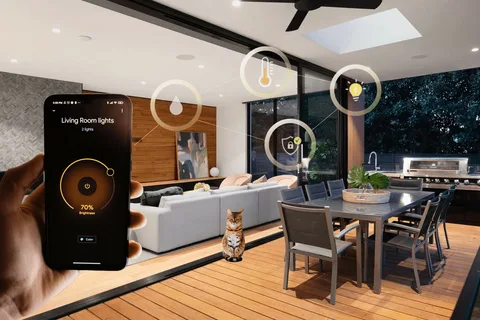

A house doesn’t stop functioning when its occupants leave. Heating and cooling equipment continues running, security devices remain active, and connected electronics may consume electricity throughout the day. With properly configured home control technology, these systems can respond to an empty house without requiring someone to adjust every setting manually. The challenge is deciding which functions should pause, which should continue, and how everything should respond when the household returns.
An Away Mode Should Follow Your Routine
An effective away mode begins with understanding how a household operates. Some people leave for work at predictable times, while others have irregular schedules or family members coming and going throughout the day. A useful automation setup must accommodate these differences rather than assume the house is empty at the same hour every morning. Lighting, temperature, window coverings, and electronic equipment can follow a shared routine, but individual systems may need their own conditions.
Occupancy sensors, scheduled commands, and phone-based location detection can help determine when to activate certain settings. However, automatic detection isn’t always reliable enough to make every decision. Someone working quietly in a bedroom might not trigger a motion sensor for an extended period. Combining automatic controls with an accessible manual override gives occupants greater flexibility and reduces the likelihood of unwanted changes.
Give Entertainment Equipment a Proper Shutdown Routine
Audio and video equipment often gets overlooked when homeowners plan their departure routines. A television might switch off while an amplifier, streaming device, or media processor continues operating. Some components support low-power standby modes, while others require specific shutdown procedures. Coordinating these devices through a central control system helps prevent unnecessary operation and makes the equipment easier to manage.
Similar considerations apply to larger buildings where audiovisual equipment serves several rooms or common areas. Meeting-room displays, distributed speakers, presentation systems, and public-address equipment may share network infrastructure while requiring different operating schedules. This makes coordinated shutdown planning particularly important in commercial AV installations associated with http://proaudioservices.com, where equipment must remain available for essential functions even when most of the building is unoccupied.
Good audiovisual management also involves protecting equipment from inappropriate power interruptions. Cutting power to certain devices without letting them shut down properly can cause problems, especially for equipment that requires cooling cycles or controlled shutdown sequences. A well-programmed system distinguishes between components that can shut off immediately and those that should enter standby or complete a shutdown process first.
Keep Security Running Without Constant Notifications
Security equipment has different priorities from entertainment technology. Cameras, entry sensors, connected locks, and alarm systems generally need to remain operational when the property is empty. An away routine can activate selected security functions automatically, reducing the chance that someone forgets to arm the alarm or secure a connected entrance before leaving.
Remote monitoring adds another layer of convenience, but notification settings deserve attention. Receiving an alert every time a tree branch moves or an animal crosses the driveway can quickly become frustrating. Adjusting detection zones, choosing appropriate sensitivity levels, and prioritizing important events can make alerts more useful. Network reliability matters as well, since remote camera access and many mobile notifications depend on a functioning internet connection.
Let Energy Savings Depend on Actual Conditions
An unoccupied house rarely needs the same temperature settings as one filled with people. Smart thermostats can adjust heating and cooling during extended absences, then gradually return indoor conditions to the preferred level before occupants arrive. The appropriate adjustment depends on the climate, building insulation, humidity, and the needs of anyone or anything remaining inside.
Automated shades can contribute to this process by controlling sunlight entering different rooms. Windows exposed to strong afternoon sunshine may benefit from closed shades, while other rooms might need little adjustment. Lighting can follow similar rules, switching off unnecessary fixtures while keeping exterior lights or selected interior lamps on an appropriate schedule. Coordinating these settings helps avoid situations where one system works against another.
Plan for Unexpected Changes
Even a carefully designed routine needs room for exceptions. A family member may return early, a guest might need temporary access, or someone could remain home while everyone else leaves. Manual controls should remain easy to reach, and household members should understand how to suspend an automated routine without changing the entire configuration.
Regular testing helps identify problems before they become daily frustrations. Try activating away mode while someone remains inside to observe which devices respond. Confirm that essential security equipment stays connected, audiovisual components shut down correctly, and scheduled temperature adjustments don’t create uncomfortable conditions. It’s also worth checking which functions remain available during an internet outage or temporary power interruption.
The most useful connected home is one that handles ordinary routines quietly while leaving people in control. A good departure setup reduces unnecessary energy use, keeps important systems available, and simplifies the transition between an occupied and empty property. When each device has a clear purpose, leaving home becomes less about remembering a checklist and more about trusting that the building will respond appropriately.