
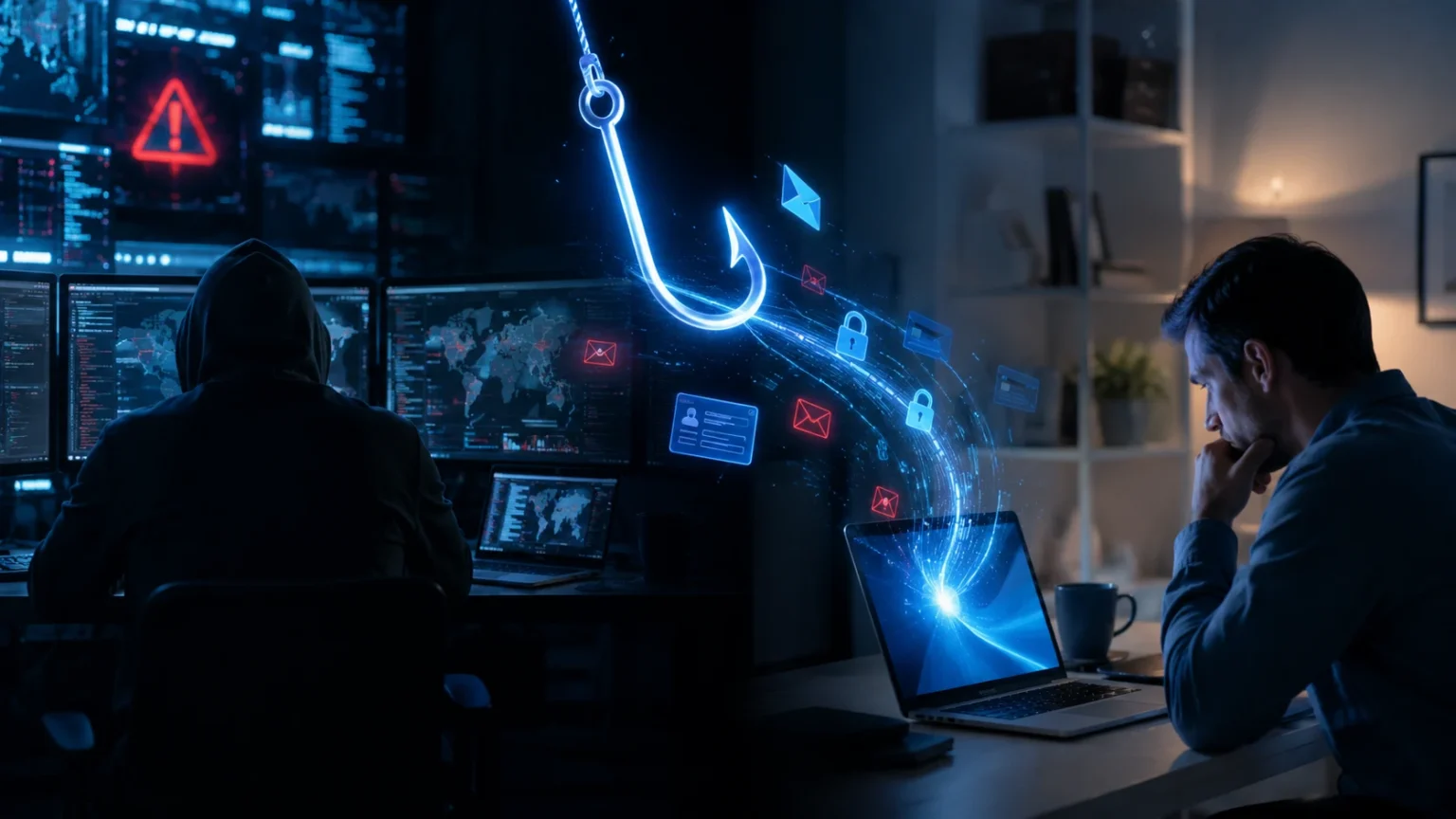

What Is a Phisher? How Phishing Attacks Really Work
A phisher is a cybercriminal or scammer who pretends to be a trusted person, company, or service to trick someone into revealing sensitive information or taking an unsafe action. Instead of breaking through security systems directly, phishers often target human trust, urgency, curiosity, fear, or routine behavior to get what they want.
A phishing message might look like a password-reset notice from Microsoft, a delivery update from a courier, a bank fraud alert, an invoice from a supplier, or an email that appears to come from your manager. The message usually encourages you to click a link, open a file, provide credentials, transfer money, or approve an unexpected login.
Modern phishing attacks are no longer limited to badly written emails filled with obvious spelling mistakes. Attackers increasingly create polished messages, convincing login pages, realistic branding, personalized requests, QR codes, text messages, phone calls, and even AI-assisted communications designed to resemble legitimate business conversations.
Understanding what a phisher is and how phishing attacks really work can make these scams much easier to recognize. Once you understand the psychological tricks, technical steps, warning signs, and common attack methods, you are far less likely to make a rushed decision simply because a message looks professional or urgent.
What Is a Phisher?
A phisher is someone who uses deceptive communication to obtain information, money, access, or another valuable outcome from a victim. The attacker usually impersonates a familiar organization or individual because people are naturally more willing to trust messages that appear to come from banks, employers, technology providers, government agencies, or known contacts.
The term comes from phishing, a form of social engineering in which attackers use digital communication as bait. The attacker may want your password, credit card information, authentication code, personal details, business documents, or permission to access an account. In other cases, the goal is simply to convince you to install malware.
Not every phisher operates the same way. Some launch enormous campaigns containing thousands or millions of messages, hoping a small percentage of recipients respond. Others carefully research one company or individual and create highly personalized attacks that reference real colleagues, business relationships, projects, invoices, or recent events.
Phishers are effective because they exploit behavior rather than relying entirely on software vulnerabilities. Even a company with strong firewalls and endpoint protection can face risk if an employee is persuaded to reveal credentials or authorize a fraudulent payment. That is why phishing remains a human and technical cybersecurity problem at the same time.
How Does a Phishing Attack Work?
Most phishing attacks begin with preparation. The attacker chooses a target and decides what identity will make the message believable. They might impersonate a bank, cloud provider, streaming service, HR department, supplier, executive, delivery company, or popular social network depending on the intended victim.
The attacker then creates the lure. This could be an email warning that your account will be suspended, a text claiming a package cannot be delivered, or a message saying a shared document requires your attention. The objective is to create enough urgency or curiosity that you act before carefully checking whether the request is genuine.
The next stage is the action the phisher wants you to take. You may be directed to a fake login page, encouraged to download an attachment, asked to reply with confidential information, told to scan a QR code, or pressured into approving a payment. The attacker designs the process to feel similar to a legitimate everyday task.
If the victim responds, the attacker moves toward the real objective. Stolen credentials may be used for account takeover, financial information may support fraud, or malware may provide access to a device. Successful attackers may then use the compromised account to target colleagues, customers, friends, or business partners.
Why Phishing Attacks Are So Effective
Phishing succeeds because people make decisions quickly when they feel urgency. A message saying “Your account will be disabled in 30 minutes” encourages immediate action, which can reduce the likelihood that someone carefully examines the sender address, destination link, or unusual request before responding.
Authority is another powerful technique. A message that appears to come from a CEO, bank, government agency, security department, or senior manager can make people hesitate to question the request. Attackers exploit this tendency by using familiar names, job titles, branding, signatures, and corporate language to create credibility.
Fear and curiosity are equally useful. Security warnings, unexpected payments, tax issues, missed deliveries, confidential documents, job opportunities, refunds, and prize notifications can all encourage people to click. Attackers do not need every recipient to believe the message; they only need a small number of people to respond.
The strongest defense is therefore not simply “be more careful.” People need security systems that make verification easy and risky actions harder. Email filtering, phishing-resistant authentication, password managers, clear payment procedures, reporting tools, and effective employee training can all reduce the consequences of an individual mistake.
Common Types of Phishing Attacks
Email phishing is the most familiar form. Attackers send messages that imitate legitimate companies or organizations and encourage recipients to click malicious links, download files, or provide information. These campaigns may target enormous numbers of people, making them inexpensive for criminals to operate at scale.
Spear phishing is more targeted. Instead of sending the same generic message to thousands of people, the attacker researches a specific person or organization. The email may mention a real project, colleague, supplier, or customer, making the request appear much more believable than ordinary mass phishing.
Whaling focuses on senior executives or other high-value individuals. Attackers may target CEOs, financial officers, legal teams, or senior administrators because these people can access sensitive systems or authorize important transactions. Messages are often highly personalized and designed to resemble legitimate executive communication.
Other forms include smishing, which uses SMS or messaging platforms, and vishing, which uses phone calls or voice communication. QR-code phishing, sometimes called quishing, can direct people toward malicious websites through scannable codes, showing that phishing can appear through many communication channels rather than email alone.
How Fake Login Pages Steal Passwords
One of the most common phishing techniques is creating a fake version of a familiar login page. The page may imitate Microsoft 365, Google, Facebook, PayPal, a bank, or another service closely enough that someone arriving from a convincing email does not immediately notice anything unusual.
The phisher controls the website behind the page. When the victim enters a username and password, the information is sent to the attacker’s system rather than the legitimate service. The attacker can then attempt to use those credentials on the real website.
Some fake login pages are highly convincing. Attackers can copy logos, fonts, colors, button styles, background images, and error messages. This is why judging a login page entirely by appearance is dangerous. A professional-looking page does not prove that the website actually belongs to the company being impersonated.
Checking the domain is far more useful. Instead of following an unexpected login link, open the service through a trusted bookmark, official application, or manually entered address. Password managers can also help because they generally associate saved credentials with specific legitimate domains and may refuse to autofill them on an imitation site.
Phishing and Multifactor Authentication
Multifactor authentication, or MFA, provides important protection because stealing a password alone may no longer be enough to access an account. However, phishers have adapted their techniques to target authentication codes, approval notifications, and users themselves rather than abandoning attacks entirely.
A fake login page might first collect the password and then ask the victim for a one-time authentication code. If the attacker uses the stolen credentials quickly enough, that code may potentially be used during the legitimate login process before it expires.
Another technique involves MFA fatigue or push bombing. An attacker with a valid password repeatedly triggers authentication approval requests, hoping the user eventually approves one simply to make the notifications stop or because they assume the request belongs to a legitimate login.
Phishing-resistant authentication methods can provide stronger protection because they are designed to resist credential theft through fake websites. Security keys and modern passkey-style authentication can tie authentication more closely to the legitimate service, reducing the usefulness of passwords and temporary codes captured through phishing pages.
What Is Business Email Compromise?
Business email compromise, commonly called BEC, is a form of social engineering where attackers impersonate or compromise a business email account to manipulate financial or operational decisions. Instead of immediately sending malware, the attacker may focus entirely on creating a believable business conversation.
A common example involves impersonating an executive and asking an employee to make an urgent payment. Another attack may imitate a supplier and claim that bank-account information has changed. The request appears believable because it fits naturally into an existing business process.
Attackers may spend time studying organizational relationships before making the request. Company websites, social media, professional profiles, press releases, and compromised email accounts can reveal who handles payments, who reports to whom, which suppliers are used, and when executives are traveling.
Organizations can reduce BEC risk by requiring independent verification for changes involving payments, bank accounts, sensitive documents, or unusual executive requests. Employees should verify important changes through a trusted channel rather than replying directly to the same email that introduced the request.
Can Phishing Emails Install Malware?
Yes. Some phishing campaigns are designed to deliver malware instead of stealing credentials directly. The message may include a malicious attachment, link to a download, or convince the recipient to run a program that appears to be a document, invoice, security update, or business application.
Attachments can use familiar file formats because people regularly exchange documents through email. Attackers may also place malicious content inside compressed archives or use links that ultimately lead to dangerous downloads. The exact techniques change as security tools and operating systems improve.
Malware installed through phishing can serve many purposes. It may steal browser data, capture credentials, provide remote access, collect sensitive documents, or prepare the environment for further attacks. In severe cases, initial phishing access may eventually contribute to ransomware or wider network compromise.
Users should therefore treat unexpected attachments cautiously even when the sender name appears familiar. Verify unusual files through a separate communication channel, particularly when the message creates urgency or asks you to bypass warnings, enable unusual features, or install software you were not expecting.
How to Spot a Phishing Email
Start with the sender address rather than the displayed name. An email may show “Microsoft Support” or the name of your CEO while actually originating from an unrelated domain. Small spelling changes, additional words, unusual subdomains, or free email accounts can reveal impersonation attempts.
Pay attention to urgency and pressure. Messages that demand immediate action, threaten account closure, request secrecy, or insist that normal procedures be bypassed deserve extra scrutiny. Legitimate organizations can send urgent communications, but urgency should never prevent independent verification.
Examine links carefully before opening them. The text shown in a message can say one thing while the destination leads somewhere completely different. On desktop systems, hovering over a link can often reveal the destination, although you should still avoid interacting with a suspicious message unnecessarily.
Finally, look at the request itself. An email can contain perfect grammar and legitimate-looking branding while still being fraudulent. Unexpected password requests, authentication codes, financial transfers, gift cards, confidential documents, or changes to banking information should trigger verification regardless of how professional the message appears.
How AI Is Changing Phishing Attacks
Artificial intelligence can help attackers create more natural and convincing messages. Poor grammar was once treated as a common phishing indicator, but modern language-generation tools can produce professional emails in many languages while adapting tone, formality, and writing style to different audiences.
Attackers can also use publicly available information to personalize messages. Professional profiles, company websites, conference announcements, social posts, and corporate news can provide details that make a phishing email seem more relevant to a particular employee or organization.
Voice and image manipulation can increase the challenge further. A fraudulent request may arrive through a realistic voice call, video message, or other media rather than a basic email. Organizations should therefore avoid relying on familiarity with someone’s voice or writing style as the sole verification method for sensitive actions.
Defenders can use AI as well. Security platforms can analyze messages, domains, behavioral signals, login patterns, and communication characteristics at a scale that would be difficult for humans alone. However, technology should complement—not replace—clear verification processes and strong authentication controls.
What to Do If You Click a Phishing Link
Clicking a suspicious link does not automatically mean your account has been compromised. The next steps depend on what happened after the click. If you immediately closed the page without entering information or downloading anything, the risk may be different from a situation where credentials were submitted.
If you entered a password on a suspected phishing page, change that password through the legitimate service as soon as possible. If the same password was reused elsewhere, change it on those accounts as well. Review active sessions and sign out of unfamiliar devices where the service provides that option.
If you entered payment information or financial details, contact the relevant bank or payment provider using verified contact information. If you downloaded or executed a suspicious file on a workplace device, report it to your IT or security team promptly rather than attempting to hide the mistake.
Speed matters because attackers may use stolen credentials very quickly. Organizations should create a reporting culture where employees feel comfortable raising concerns immediately. A fast report gives security teams more time to reset accounts, investigate activity, isolate devices, and reduce potential damage.
What to Do If Your Email Account Gets Phished
Begin by changing the account password from a trusted device and verify that MFA remains configured correctly. Review recovery email addresses, phone numbers, authentication methods, and connected applications because attackers sometimes modify these settings to maintain access even after the password changes.
Check recent login activity for unfamiliar locations or devices. Many major email providers allow users to review active sessions and terminate suspicious connections. If an attacker remains signed in, changing the password alone may not always end every session immediately.
Review mailbox rules and forwarding settings carefully. Attackers who compromise business email accounts sometimes create hidden forwarding rules or filters that intercept financial messages, hide security alerts, or copy correspondence to external addresses without the victim noticing.
Finally, inform relevant contacts if the compromised account sent fraudulent messages. Colleagues, customers, or friends may trust an email more readily when it genuinely comes from your account. Warning them quickly can prevent one compromised mailbox from becoming the starting point for additional phishing attacks.
How Individuals Can Protect Themselves From Phishers
Use unique passwords for important accounts and store them in a reputable password manager. Password reuse allows one stolen credential to become useful across several websites, while unique passwords limit the damage to the account where the compromise occurred.
Enable strong multifactor authentication wherever it is available. Prefer phishing-resistant options such as passkeys or hardware security keys for high-value accounts when practical. Although no single control removes every risk, strong authentication can make stolen passwords considerably less useful.
Avoid signing in through unexpected email or text links when you can reach the service another way. Open the official application, use a trusted bookmark, or type the known website address yourself. This simple habit removes many opportunities for fake login pages to capture credentials.
Most importantly, verify requests based on their consequences. A message asking you to transfer money, reveal a password, share an authentication code, or provide sensitive information deserves independent confirmation. The more serious the requested action, the more carefully you should verify who is really asking.
How Businesses Can Prevent Phishing Attacks
Businesses should combine employee awareness with technical controls. Email filtering, domain protections, secure web gateways, endpoint security, strong identity systems, attachment analysis, and suspicious-login detection can reduce the number of dangerous messages and actions that reach employees.
Authentication strategy matters greatly. Organizations should use MFA broadly and prioritize phishing-resistant authentication for administrators and high-risk accounts. Password managers, single sign-on, conditional access, and least-privilege policies can further reduce the value of stolen credentials.
Processes should also be designed to resist social engineering. Payment changes, bank-account updates, sensitive document requests, password resets, and unusual executive instructions should require appropriate verification. Security is stronger when a single convincing email cannot authorize a high-impact business action.
Finally, make reporting easy. A visible “Report Phishing” button or simple security channel can help employees escalate suspicious messages quickly. Training should teach employees how to recognize and report uncertainty rather than expecting them to perfectly classify every sophisticated attack on their own.
Common Phishing Warning Signs to Remember
Unexpected urgency is one of the strongest warning signs. A message claiming that your account will close immediately, your payment failed, your package is being returned, or your boss needs an urgent transfer may be designed specifically to prevent careful thinking.
An unusual request should also raise concern. Your bank should not need your password by email, your IT department should not need you to send an MFA code, and a senior executive requesting gift cards or confidential information through an unexpected channel deserves independent verification.
Inconsistent domains, suspicious links, unexpected attachments, unusual QR codes, and login pages reached through unsolicited messages are additional indicators. None of these proves fraud individually, but multiple warning signs should significantly increase your caution.
The most reliable habit is to separate the message from the action. Instead of using the contact information, link, or phone number provided in the suspicious communication, independently open the official service or contact the person through a method you already trust.
The Future of Phishing Attacks
Phishing will continue changing as communication technology evolves. Email remains important, but attackers increasingly operate across text messaging, collaboration platforms, social media, QR codes, cloud-sharing services, voice calls, and other digital channels where people communicate and exchange information.
Personalization will likely become increasingly important. Attackers can combine information from data breaches, public websites, professional networks, and compromised accounts to create messages that appear specifically relevant to an individual rather than relying only on broad generic scams.
Authentication technology will evolve in response. Passkeys, hardware-backed credentials, device-bound authentication, stronger identity verification, and improved fraud detection can reduce reliance on passwords that are easy to capture through fake websites.
The human element will still matter. Attackers will continue searching for moments when people feel rushed, distracted, helpful, curious, or afraid. Effective phishing defense therefore requires both better technology and better processes that give people time and simple ways to verify unusual requests.
Final Thoughts: What Is a Phisher?
A phisher is an attacker who uses deception to persuade people to reveal information, provide access, transfer money, or perform another action that benefits the attacker. Phishing works because it imitates normal digital interactions while manipulating trust, urgency, authority, fear, or curiosity.
Modern phishing can appear through email, SMS, phone calls, QR codes, social media, collaboration apps, fake websites, or compromised legitimate accounts. The most sophisticated attacks may contain excellent grammar, accurate branding, personalized information, and realistic business context.
Individuals can reduce risk by using unique passwords, strong MFA, trusted login methods, and independent verification. Businesses should add email security, identity controls, payment verification, security training, monitoring, and clear incident-reporting procedures.
The most important rule is simple: an urgent message should never make you skip verification. When a request involves passwords, money, authentication codes, sensitive documents, or unusual account activity, confirm it through a trusted channel before taking action.
What does a phisher do?
A phisher impersonates a trusted person or organization to trick victims into revealing passwords, financial information, authentication codes, or other sensitive data, or into taking an unsafe action.
What is an example of phishing?
A common example is an email claiming your Microsoft or bank account has a security problem and asking you to click a link. The link opens a fake login page designed to steal your credentials.
Can a phisher steal your account with MFA enabled?
MFA makes account theft harder, but attackers may still try to steal temporary codes or trick users into approving login requests. Phishing-resistant authentication provides stronger protection against these methods.
What should I do if I respond to a phishing email?
Change exposed passwords immediately through the legitimate service, review active sessions, enable or reset MFA, and report the incident. Contact your bank quickly if financial information was shared.
How can you tell if someone is phishing you?
Look for unexpected urgency, suspicious sender domains, unusual links, password or payment requests, unexpected attachments, and pressure to bypass normal procedures. Verify important requests independently before responding.



